

On this page
Quick answer: Shift reconciliation compares the cash a shift should have produced against what is actually in the drawer, making every shift and cashier accountable for any variance. When the system classifies the difference automatically and escalates critical shortfalls for manager approval, there is no such thing as a cash gap that quietly disappears.
Shift reconciliation is the point in the day where the books and the drawer meet. Done properly, every shortfall is visible, every movement is explained, and the cashier cannot close a shift without the numbers adding up - or a manager signing off on why they do not.
What is shift reconciliation?
Shift reconciliation is the process of comparing:
- Expected cash - the amount the system calculates the drawer should contain based on all cash transactions during the shift, minus any cash movements (drops, payouts)
- Actual cash - what the cashier physically counts in the drawer at close
The difference between the two is the cash variance. The reconciliation process determines whether that variance is within acceptable limits, requires a documented reason, or requires manager sign-off before the shift can close.
Why does shift reconciliation matter?
Without reconciliation, a cash shortfall has no point of accountability. The money is missing, but nobody can say which shift, which cashier, or which pattern caused it. By the time a monthly audit reveals a problem, the individual shifts are impossible to reconstruct.
Shift-by-shift reconciliation closes that gap:
- The variance is measured while the shift is still fresh
- The cashier who worked the shift is accountable for it
- Patterns across multiple shifts become visible within days, not months
Close a shift in four steps
Skip the step-by-step viewStep 1 of 4: Sell through the shift
Every order is recorded on the till against the open shift, so expected cash builds up as you sell.
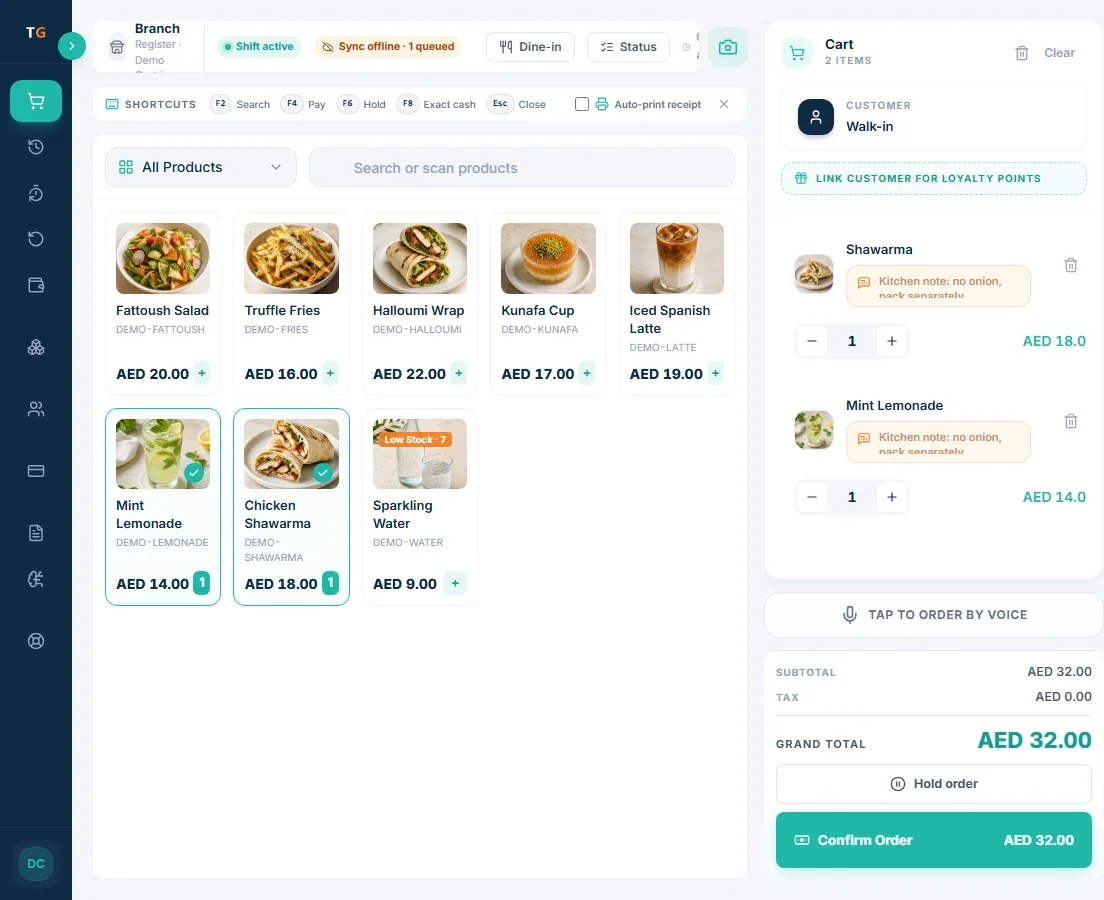
Shift activeOrders recorded on this till
Step 2 of 4: Count the drawer
At close, the cashier counts the cash and enters the amount. No mental maths, no notebook.
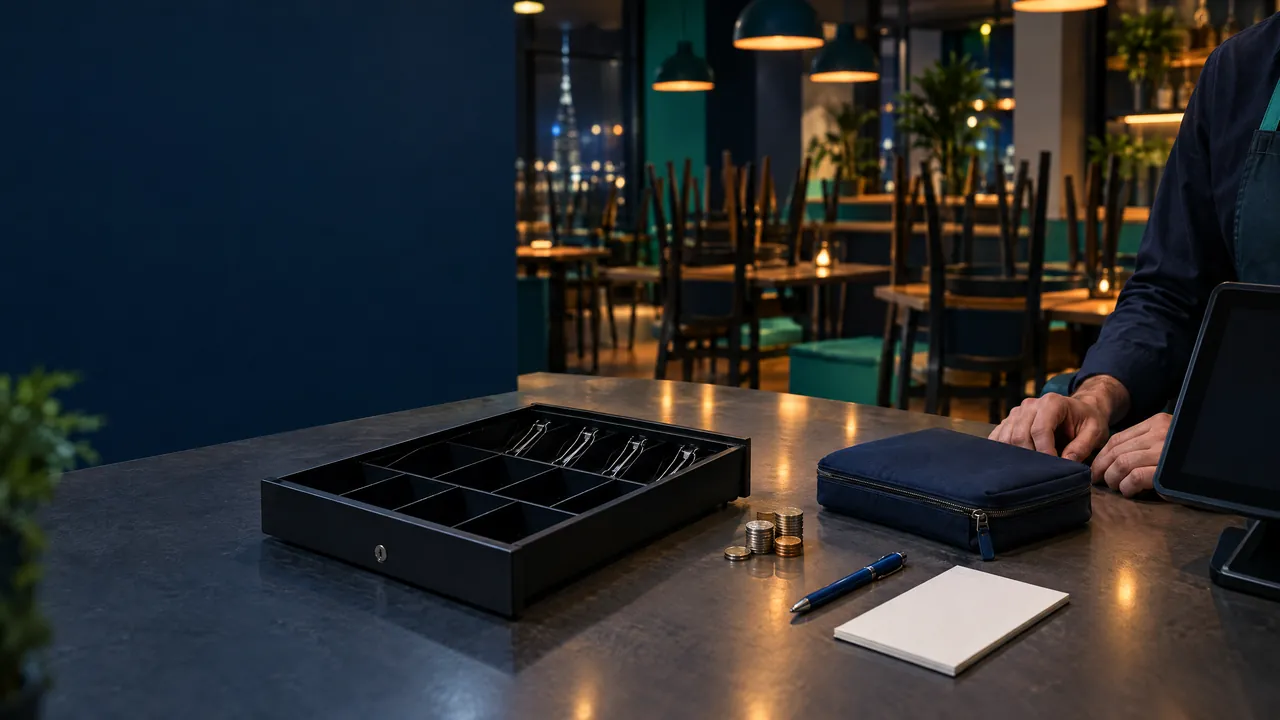
Counted cash enteredDemonstration data
Step 3 of 4: See the variance
TajerGo compares the count with the expected cash from recorded sales and flags the difference.
Variance flaggedShort by AED 12.50, demonstration data
Step 4 of 4: Hand over with a record
The close keeps who closed, the count and the variance. The owner sees it next to the day of sales.
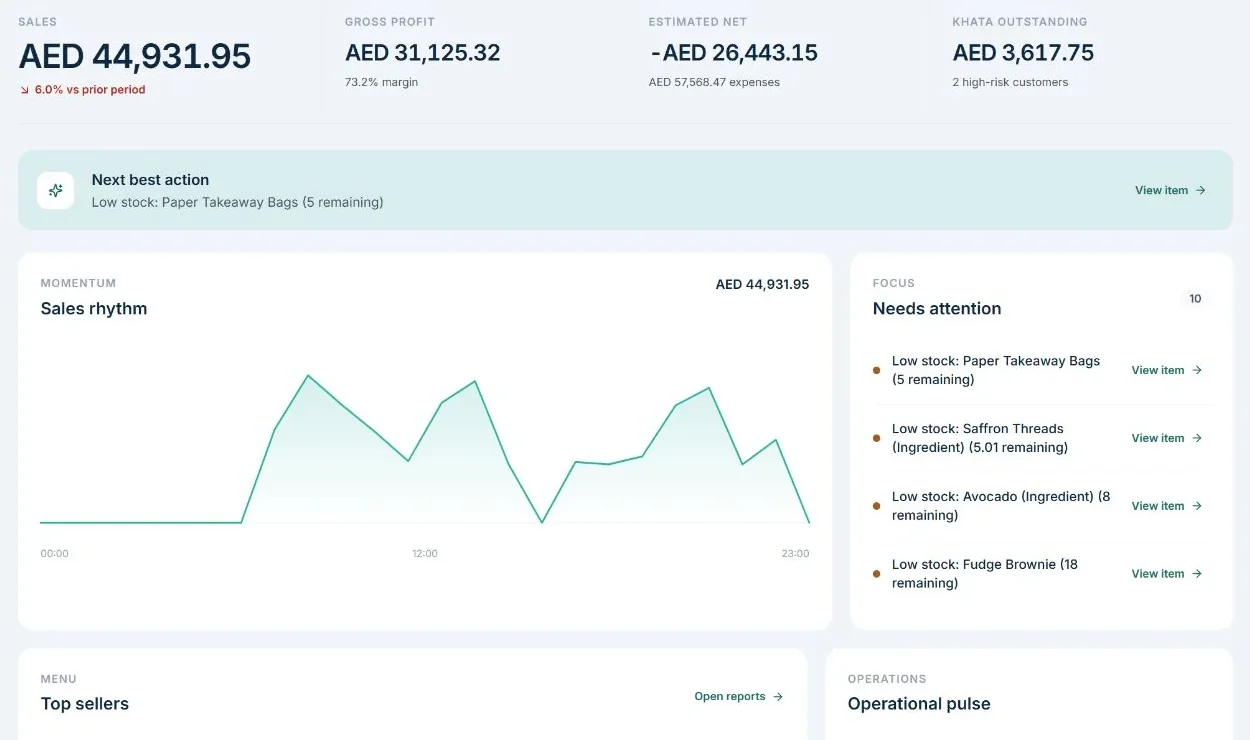
Shift closedClosed by the shift manager
Product screens show demonstration data. Venue photos are illustrative.
Read the steps as text
During the shift every sale is recorded on the till. At close, the cashier counts the cash in the drawer and enters the counted amount. TajerGo compares the counted cash with the expected cash from the recorded sales and shows the difference. The shift closes with a record of who closed it, the counted amount and the variance, and the owner sees the result next to the day of sales.
How does variance classification work?
Not every cash difference is a problem. Genuine handling errors happen - wrong change, confusion between AED 50 and AED 100 notes, denomination miscounts. A good reconciliation system separates these from real shortfalls:
| Class | What it means | What happens |
|---|---|---|
| Zero | Drawer matches exactly | Normal close |
| Acceptable | Small difference within tolerance | Reason noted; shift closes |
| Critical | Significant shortfall or surplus | Requires manager approval and reason before close |
TajerGo classifies variance automatically into these three categories. The Critical classification cannot be bypassed: the shift stays open until a manager enters their credentials, reviews the variance, and approves the close with a documented reason.
This is what makes reconciliation structural rather than optional. There is no path to a closed shift without either a matching drawer or a manager's sign-off.
What should be included in a shift reconciliation report?
A proper shift closure report includes:
- Opening float - the starting cash amount
- Expected cash - calculated from all cash transactions
- Cash movements - every cash-in, cash-out, safe drop, and no-sale logged during the shift
- Actual cash counted - by denomination
- Variance - the difference, classified and annotated
- Payment breakdown - cash, card, wallet, and Khata totals
- VAT collected - for FTA purposes
- Discounts and refunds - total and per transaction
- No-sale count - how many times the drawer was opened without a transaction
- Signature line - for cashier and manager sign-off
TajerGo's Shift Closure report includes all of these elements. It is printable to thermal or office paper and exportable as part of the Shift Closure PDF Pack - the handover document that goes with every shift and gives an accountant or auditor everything they need in one place.
What is the X report versus the Z report?
X report - a live mid-shift summary. The shift stays open; this is a snapshot of totals to the current point. Useful for a manager checking the cash position during a long shift without closing it.
Z report - the final close report. The shift closes, all transactions are settled, and the report is the permanent record. TajerGo's Z report includes payment breakdown, cash movements, VAT, discounts, refunds, and no-sale count - exportable to CSV, printable, and archived in shift history.
Both are standard accounting outputs that UAE auditors and the FTA recognise.
How do shift history and the cash variance report help?
The Shift History shows every past shift with expected versus actual cash and variance. This is where patterns become visible: a cashier whose drawer comes up short every Friday, a particular shift time that consistently produces critical variance, a no-sale count that is unusually high on certain shifts.
The Cash Variance report breaks down over/short amounts by shift and cashier, making it straightforward to identify recurring shortfalls before they compound.
Read next: How to detect and prevent staff theft in restaurants (pillar) · Cash handling best practices for UAE restaurants · Building accountability without micromanaging staff
Frequently asked questions
What is the difference between a shift report and shift reconciliation?
A shift report shows what happened during a shift - sales, payments, products sold. Shift reconciliation specifically compares what the cash drawer should contain against what it actually contains and documents any difference. Reconciliation is the accountability step; the report is the record.
What should I do when a shift variance is classified as Critical?
Do not close the shift until the variance is explained. Ask the cashier to recount the drawer by denomination. Check the cash movements log for any unrecorded drops or payouts. If the shortfall persists after recount, escalate to the manager for sign-off, document the reason, and keep the record. Do not accept "I do not know" as a closed-shift response.
How often should a UAE restaurant do shift reconciliation?
Every shift, without exception. A single missing reconciliation creates a gap that cannot be reconstructed later. Daily reconciliation only - without per-shift accountability - cannot identify which cashier or which shift caused a problem.
Does shift reconciliation work for card-only counters?
The cash reconciliation element is cash-specific, but shift reconciliation in TajerGo covers all payment methods - the payment breakdown shows cash, card, wallet, and Khata separately. For card-only counters, the reconciliation confirms that card totals match the expected settlement amounts, which is equally important for catching payment discrepancies.
About this guide. Maintained by the TajerGo Editorial Team. Last updated 26 Sep 2026. Worked examples use illustrative numbers, not customer results.