

Scheduled delivery
Delivery slots that never double-book, and one order book for the day
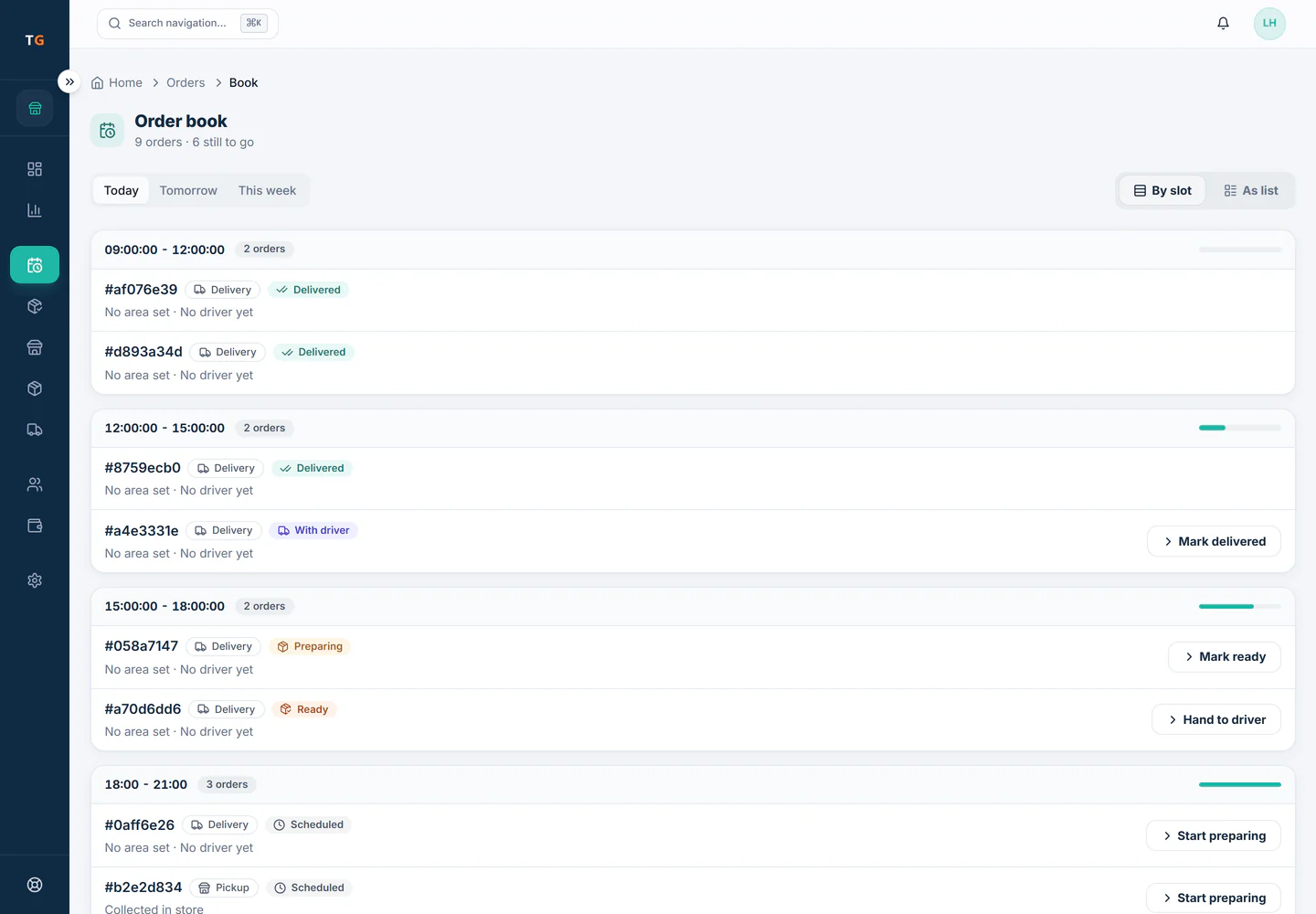
Set how many orders each delivery window can take and TajerGo closes a window when it is full, for counter and online orders alike. The day book then shows every gift order as Scheduled, Preparing, Ready, Picked up or Delivered.
Step by step
How it works
Set your windows and their capacity
Define the time windows you deliver in and how many orders each can take. Keep mornings tight on busy days if your team is small.
Delivery windows filling up and the full one closing to new orders. Orders fill the windows
Every counter or web order takes one place in its window. Holds made while a buyer is paying count too, so the last place cannot be sold twice.
Windows filling as orders come in. Run the day from the order book
Open the day and see every order by status. Move one to Preparing when the workshop starts and to Ready when it is wrapped.
The day order book from Scheduled to Delivered. Print the gift card
Print the card message for each gift from the order, with the sender hidden when the buyer asked for it.
The card message and hidden sender setting on an order.
What you can do
Per-window capacity
A window closes to new orders the moment it is full.
One calendar for all channels
Counter and online orders count against the same windows.
Day order book
Scheduled, Preparing, Ready, Picked up and Delivered in one view per day.
Gift card printing
Card messages print from the order for the workshop.
Free plan
Scheduled fulfilment is included on every plan.
The connected loop
Connected to
Pricing
Plans and pricing
Frequently asked questions
What stops two staff members booking the same last slot?
Capacity is counted under a lock for each slot, so only one of them gets it. The other is asked to choose another time.
Can I stop taking orders for a window early?
Yes. Lower its capacity and it closes once the orders already booked reach the new number.
Does the order book show online orders?
Yes, marked as online shop orders, next to the ones taken at the counter.
Is this included in the free plan?
Yes. Slots and the order book work on every plan. Courier dispatch starts on Starter.
Get through Valentine morning without an oversold slot
Book a demo or start on the free plan.
Ask our team to call you
Leave your details and the TajerGo team will get back to you.