
On this page
- What Is Food Costing Software?
- Understanding COGS in Restaurant Operations
- Why Restaurants Need Daily Food Cost Tracking
- Manual COGS Tracking Problems
- How Food Costing Software Helps Control COGS
- Daily COGS Monitoring Process for Restaurants
- How Restaurants Can Reduce Food Costs
- Food Costing Software vs Spreadsheet Tracking
- Important Features to Check Before Choosing Food Costing Software
- Using Food Cost Data to Improve Restaurant Profitability
- Conclusion
- In the product
- Frequently Asked Questions
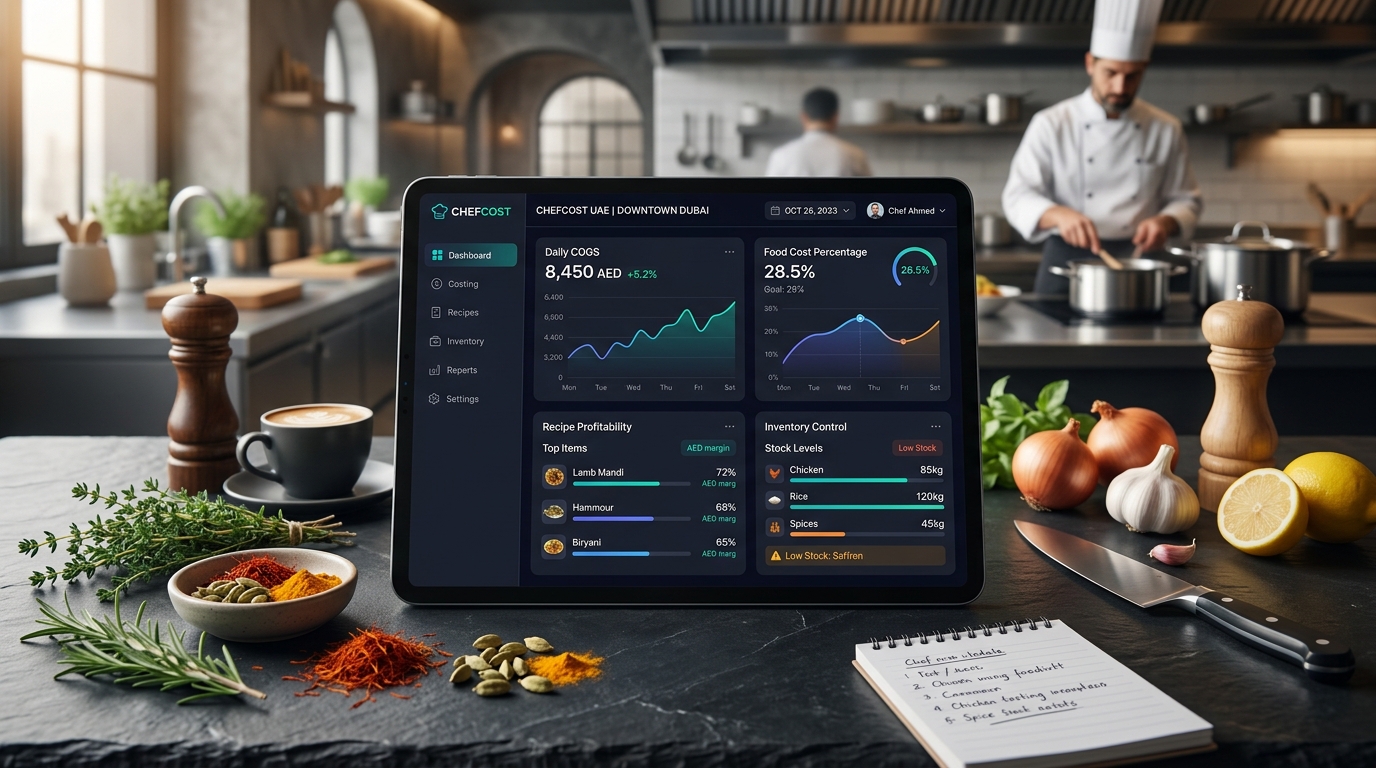
Running a profitable restaurant in the UAE requires more than increasing sales. Restaurant owners need to know where money is being spent every day, especially on ingredients, wastage and stock movement. Food costing software UAE helps restaurants monitor their Cost of Goods Sold (COGS), understand food expenses and take action before small losses become bigger problems.
Many restaurants still track food costs manually using spreadsheets, purchase invoices and stock notes. This approach becomes difficult when ingredient prices change, multiple suppliers are involved, or the restaurant manages a large menu.
A connected food-costing system brings purchasing, inventory, recipes and sales data together so owners can understand the real cost of running their kitchen.
What Is Food Costing Software?
Food costing software is a restaurant management tool that helps businesses calculate, monitor and control the cost of ingredients used in daily operations.
Unlike simple recipe calculators that only calculate the cost of one dish, food costing software focuses on the complete food-cost cycle:
- Ingredient purchasing
- Stock receiving
- Inventory movement
- Recipe usage
- Production consumption
- Wastage tracking
- Food-cost percentage monitoring
- Profitability reporting
For UAE restaurants, this is especially useful because ingredient prices can vary based on supplier changes, imported products, seasonality and market conditions.
A restaurant may have good sales but still lose money if food costs are not controlled properly.
Understanding COGS in Restaurant Operations
COGS means the direct cost of ingredients and materials used to prepare food and beverages sold to customers.
The basic formula is:
COGS = Opening Inventory + Purchases - Closing Inventory
For example:
Opening inventory: AED 25,000 Purchases during the month: AED 60,000 Closing inventory: AED 20,000
COGS:
AED 25,000 + AED 60,000 - AED 20,000 = AED 65,000
If the restaurant generated AED 200,000 in food sales:
Food Cost Percentage:
AED 65,000 ÷ AED 200,000 × 100 = 32.5%
This percentage helps owners understand how much of their revenue is going towards ingredients.
However, calculating COGS once a month does not show daily problems. A restaurant may discover losses only after weeks have passed.
Daily tracking gives management earlier visibility.
Why Restaurants Need Daily Food Cost Tracking
Ingredient prices change frequently
Restaurants purchase hundreds of ingredients, and supplier prices can change regularly.
Examples:
- Seafood prices may vary depending on availability.
- Fresh vegetables can change with seasons.
- Imported ingredients may fluctuate due to supply conditions.
- Dairy and meat prices may increase over time.
If recipes and inventory records still use old costs, the restaurant may unknowingly sell dishes at lower margins.
Food costing software helps teams identify cost changes and review affected menu items.
Manual COGS Tracking Problems
Many restaurant owners begin with spreadsheets because they are simple and inexpensive. The problem appears when operations grow.
Stock records become inaccurate
When ingredients move between receiving, kitchen preparation, production and service, manual records can miss small movements.
Examples:
- Ingredients used without recording
- Damaged stock not updated
- Incorrect quantity entries
- Staff meals not tracked
- Wastage not recorded
Small errors repeated daily can create large monthly differences.
Purchase invoices are difficult to manage
Restaurants often receive invoices from multiple suppliers. Manually entering every item, quantity and cost takes time and increases the possibility of mistakes.
Actual usage differs from expected usage
A recipe may require 200 grams of chicken, but actual usage may be higher because of:
- Over-portioning
- Preparation waste
- Incorrect storage
- Staff handling mistakes
Comparing expected and actual consumption helps identify these gaps.
How Food Costing Software Helps Control COGS
1. Connects purchasing with inventory
A restaurant’s food cost starts when ingredients are purchased.
A proper system records:
- Supplier details
- Purchased quantity
- Unit cost
- Receiving date
- Stock availability
When purchase information is connected with inventory, owners get a clearer picture of ingredient costs.
TajerGo’s restaurant inventory software helps restaurants manage ingredient tracking, stock movement, receiving and inventory control from one system.
2. Tracks ingredient consumption
Food costing software can connect recipes with inventory items to estimate how much stock should be consumed based on sales.
For example:
A restaurant sells 100 portions of a chicken burger.
The recipe requires:
- 150g chicken per burger
- 50g sauce
- 1 bun
The system can estimate expected ingredient usage and compare it with actual stock movement.
Large differences may indicate:
- Wastage
- Incorrect portions
- Recipe changes
- Missing inventory records
3. Monitors food-cost percentage
Food-cost percentage shows how much revenue is spent on ingredients.
Formula:
Food Cost Percentage = Ingredient Cost ÷ Food Sales × 100
Example:
Monthly ingredient cost: AED 50,000 Food sales: AED 150,000
Food cost:
AED 50,000 ÷ AED 150,000 × 100 = 33.3%
Tracking this regularly helps restaurants identify whether costs are increasing.
Daily COGS Monitoring Process for Restaurants
A practical daily food-cost workflow includes:
Step 1: Record all purchases
Every received ingredient should be entered correctly with:
- Product name
- Quantity
- Purchase price
- Supplier
- Unit measurement
Incorrect purchase records create incorrect costing reports.
Step 2: Maintain updated recipes
Menu recipes should include:
- Ingredient quantities
- Portion sizes
- Preparation methods
- Sub-recipes
When ingredient prices change, the restaurant can review the impact on menu costs.
You can also review TajerGo’s recipe and production management features to understand how restaurants can connect recipes, ingredients and production workflows.
Step 3: Track wastage
Food waste directly affects profitability.
Common causes include:
- Expired ingredients
- Preparation mistakes
- Overproduction
- Incorrect storage
- Customer returns
A food-costing system helps record wastage so managers can identify patterns.
Step 4: Compare expected and actual costs
Theoretical food cost shows what ingredients should have been used.
Actual food cost shows what was actually consumed.
The difference between both helps identify operational issues.
How Restaurants Can Reduce Food Costs
Reduce unnecessary inventory
Too much stock increases the risk of:
- Expiry
- Spoilage
- Storage problems
- Cash being blocked
Restaurants should maintain inventory levels based on demand.
Improve purchasing decisions
Historical purchasing data helps restaurants understand:
- Which ingredients are used frequently
- Which suppliers offer better pricing
- Which products create unnecessary expenses
Standardise portions
Consistent portions protect margins.
Without portion control, two customers ordering the same dish may receive different quantities, affecting food cost calculations.
Analyse low-performing menu items
Some dishes may have:
- High ingredient costs
- Low sales volume
- High preparation time
Regular food-cost analysis helps owners decide whether to adjust pricing, modify recipes or remove items.
Food Costing Software vs Spreadsheet Tracking
| Feature | Spreadsheet | Food Costing Software |
|---|---|---|
| Ingredient tracking | Manual updates | Connected records |
| Purchase updates | Entered manually | Integrated workflow |
| Recipe costing | Separate sheets | Linked recipes |
| Multiple branches | Difficult to manage | Centralised control |
| Wastage tracking | Limited | Structured records |
| Reports | Manual preparation | Automated insights |
Spreadsheets can work for small operations, but growing restaurants usually need connected systems to maintain accurate data.
Important Features to Check Before Choosing Food Costing Software
Before selecting a system, restaurant owners should evaluate:
Inventory integration
The software should connect ingredient costs with stock movement.
Recipe management
It should support recipes, portions and ingredient mapping.
Supplier management
The system should help maintain purchasing records and supplier costs.
Reporting
Useful reports include:
- Food cost percentage
- Inventory value
- Purchase trends
- Ingredient consumption
- Cost changes
Multi-location support
Restaurant groups need control over:
- Central recipes
- Branch inventory
- Supplier costs
- Performance reports
Using Food Cost Data to Improve Restaurant Profitability
Food costing is not only about reducing expenses. It helps restaurant owners make better decisions.
Examples:
A cafe notices coffee bean costs increased by 15%.
Possible actions:
- Review supplier pricing
- Adjust portion size
- Update menu pricing
- Change product mix
A restaurant sees high wastage in fresh vegetables.
Possible actions:
- Improve purchasing quantity
- Change preparation methods
- Adjust menu planning
The data helps owners understand what is happening inside the kitchen.
Conclusion
Daily COGS tracking gives restaurant owners better control over ingredient expenses, inventory movement and profitability. In the UAE’s competitive restaurant market, knowing where money is spent helps businesses protect margins and make informed decisions.
A connected food costing system brings together purchasing, recipes, inventory and reporting so restaurants can move from manual tracking to a more organised cost-control process.
TajerGo helps restaurants manage these connected workflows through its restaurant management platform. Explore the system and see how it fits your restaurant operations.
Read next: Recipe Costing UAE Restaurant Guide | Restaurant Inventory Software UAE
Frequently Asked Questions
What is food costing software?
Food costing software helps restaurants calculate, monitor and control ingredient costs by connecting purchasing, inventory, recipes and sales information.
How does food costing software calculate COGS?
It calculates COGS using inventory value, purchasing records and stock consumption data.
What is a good food cost percentage for restaurants in UAE?
The ideal percentage depends on the restaurant concept, menu pricing, operating costs and business model. Restaurants should monitor their own margins regularly rather than follow one fixed number.
Can food costing software reduce restaurant wastage?
Yes. By tracking inventory movement and recording wastage, restaurants can identify where ingredients are being lost and improve processes.
Is food costing software useful for cafes?
Yes. Cafes can use it to track coffee beans, milk, bakery items, ingredients and beverage margins.
Can food costing software manage multiple restaurant branches?
Many restaurant systems support multi-branch operations with centralised reporting and branch-level inventory control. Restaurants should confirm available features before choosing a plan.
About this guide. Maintained by the TajerGo Editorial Team. Last updated 28 Sep 2026. Worked examples use illustrative numbers, not customer results.