
Before you start
- Your menu with prices
- Inventory items and their units, for recipes
- VAT settings done first (see the VAT receipts guide)
Step by step
Add categories
Create menu categories, such as Hot Drinks or Mains, to organise the till screen.
Create items and prices
Add each item with its price. Leave its tax basis to follow your VAT settings.
Add modifiers
Build modifier groups, such as milk, shots or sizes, and attach them to items.
Link a recipe
Add each ingredient with its quantity and unit. Check the cost per portion, then test that a sale deducts stock.
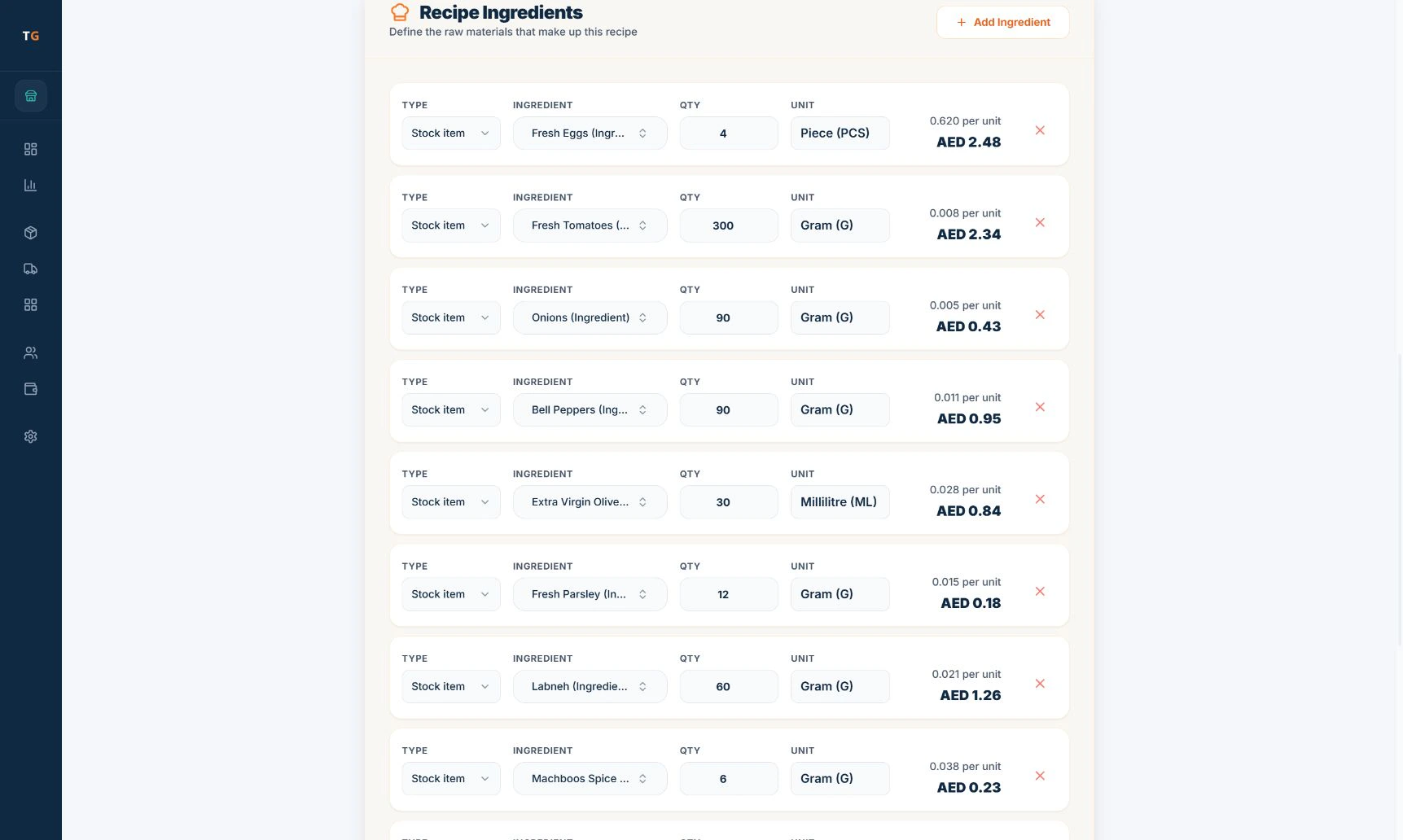
Recipe ingredients with quantity, unit and cost. Demonstration data. Publish to the till
Save the item, open the till at the right branch and check its price, modifiers and availability after it syncs.
If something looks wrong
- A sale did not deduct stockCheck the item has a linked recipe and that each ingredient uses the same unit as its inventory item.
- An item is missing on one tillCheck the item is available at that branch, then let the till sync.