
Before you start
- A tablet or screen for each station
- Your menu categories
- Admin access
Step by step
Create stations
In the Admin, open the kitchen stations screen and create the stations you use in service.
Route items to stations
Assign each category or item to a station, so only its items appear on that screen.
Open the KDS on a tablet
Open the kitchen display on the shared tablet and pick its station.
Set a PIN
Lock the shared tablet with a PIN so only authorised staff change its settings.
Test an order
Ring a test order and check it lands on the right station. Tickets are colour-coded by age.
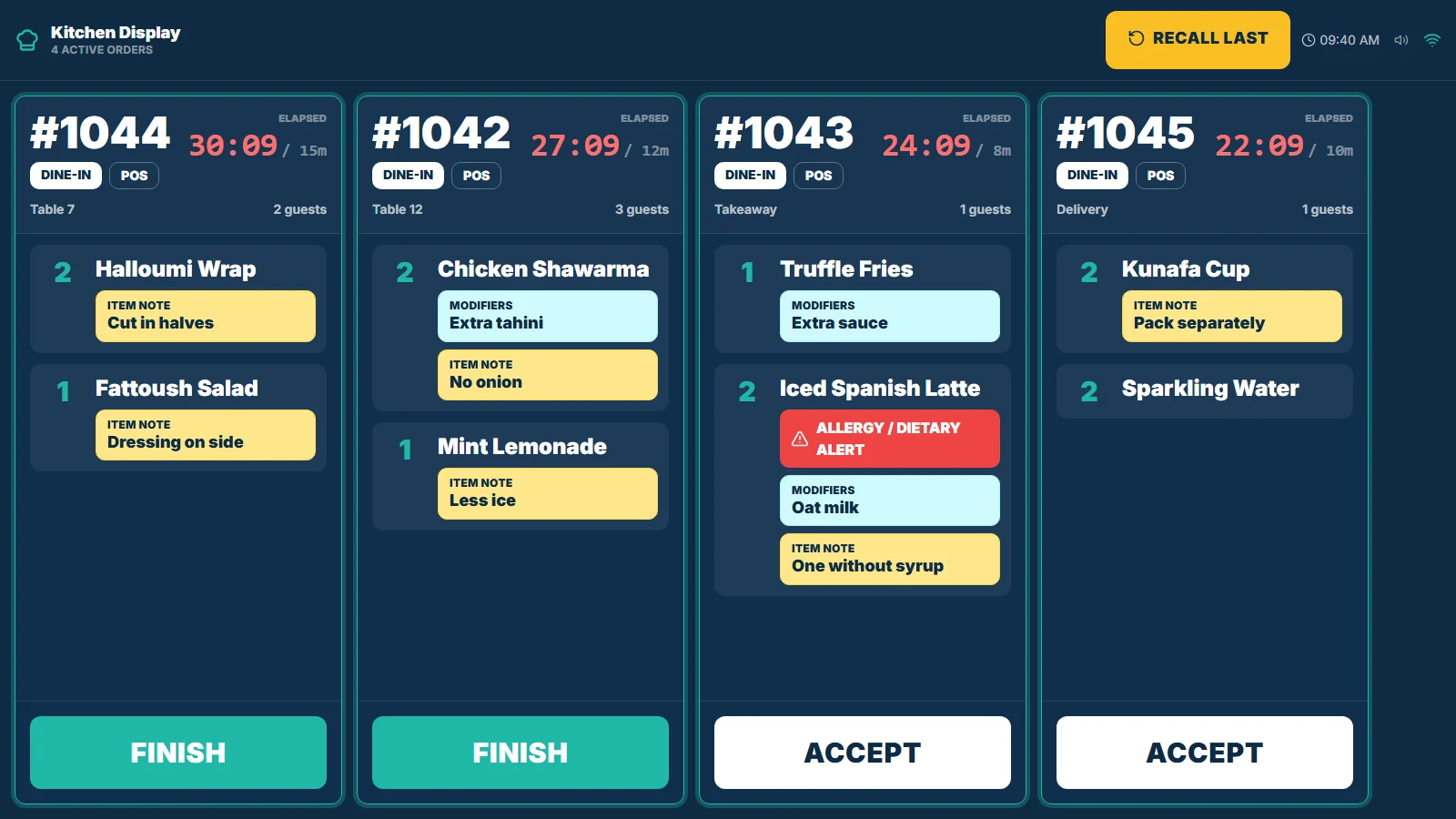
Kitchen display with open tickets and elapsed time. Demonstration data.
If something looks wrong
- An item shows on no screenCheck that the item or its category is routed to a station.
- Staff can change settings on the kitchen tabletSet a PIN on that station.