
All help articles

Help center · Selling

How offline POS and sync works

When the internet drops, supported cash and wallet sales carry on and queue on the device, then sync when the connection returns. What is supported depends on the device and payment method.

  • 4 steps
  • Screens show demonstration data

Before you start

  • The till opened and signed in while online
  • Cash or wallet for offline sales

Step by step

  1. Keep selling offline

    If the internet drops, supported cash and wallet sales continue in offline mode.

  2. Orders queue locally

    Offline transactions queue on the device. The till header shows how many are waiting.
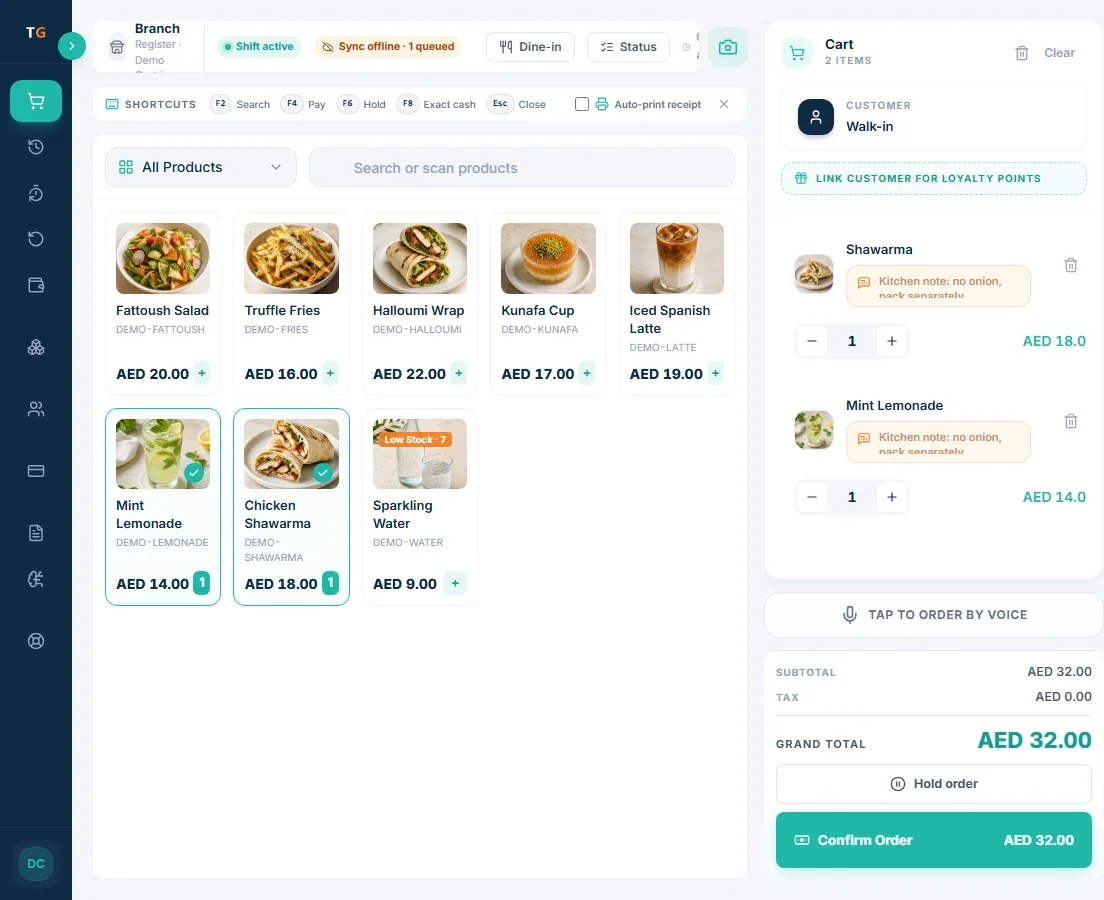
    TajerGo POS till with a sync status badge showing one queued order, demonstration data
    The till header shows the offline queue. Demonstration data.
  3. Reconnect

    When the connection returns, the queue starts syncing to the cloud.

  4. Verify the sync

    Check the sync indicator until every offline order has uploaded.

If something looks wrong

  • Queued orders did not uploadKeep the device on and connected, do not clear its browser data, and retry any pending items.
  • A card payment fails offlineCard payments depend on your processor. Take cash or wallet, or wait for the connection.

Questions

Common questions

Supported offline transactions queue on the device. Check the offline status and payment method before you carry on, and verify the queue after reconnecting.

Want this set up for you?

Self-serve setup is free. Assisted setup packages are available: book a demo and we will walk through your menu and branch.

Prefer a call back? Send your details.

Tell us about the business and the setup you need. The team replies by email or phone.

By submitting, you agree that TajerGo may contact you about your demo request. See our Privacy Policy.