

Restaurants & cafés: reports
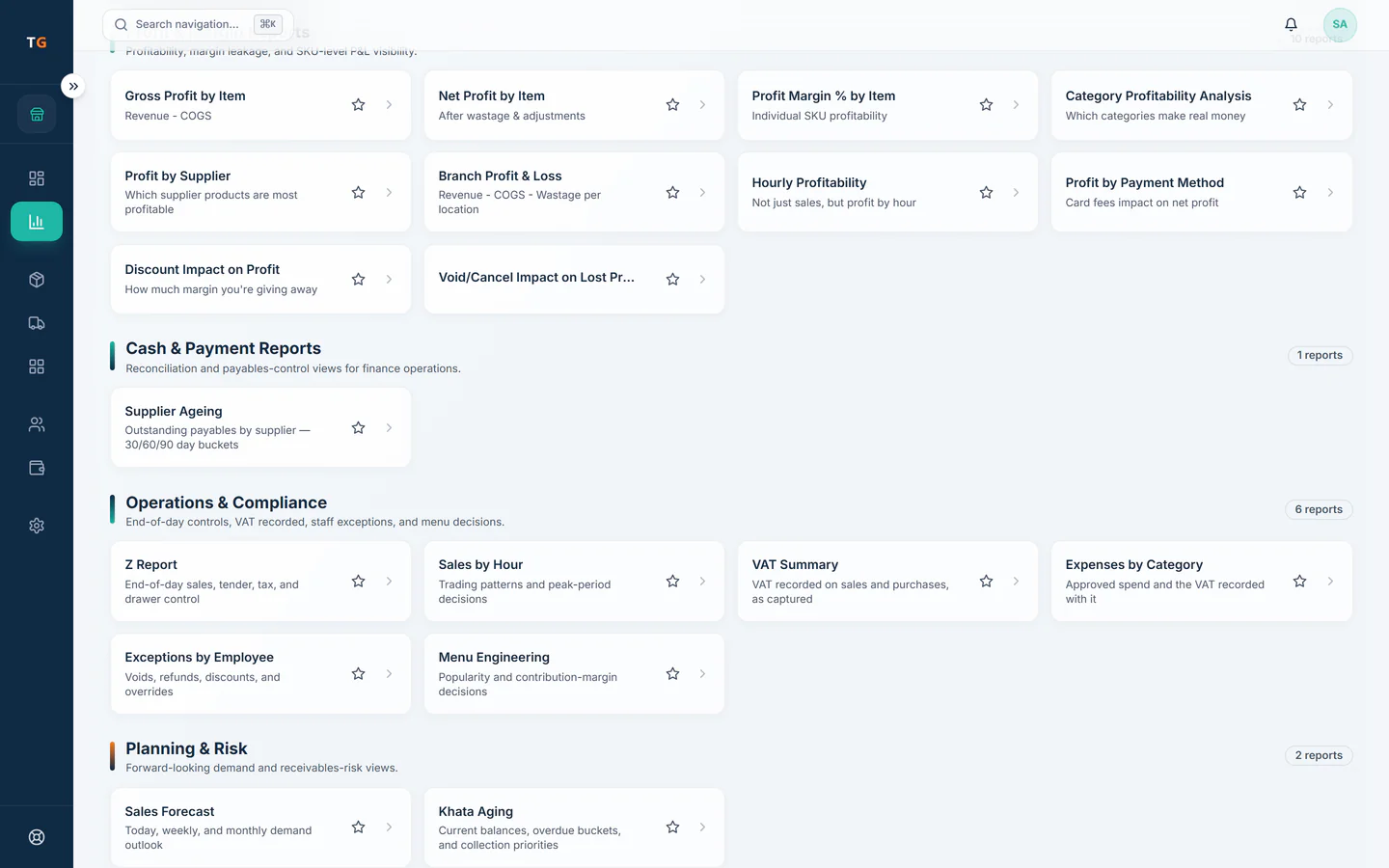
Restaurant reports: margin by dish, category and branch
TajerGo turns sales, recipes, stock and shift closes into reports an owner reads the same day: sales and payment mix, margin by dish and category, branch profit and loss, cash variance by shift and khata by age. The Report Builder answers supported questions in plain words on the Scale plan and stops on questions it cannot answer.
Step by step
How it works
Record the service
Sales, recipes, wastage and shift counts are recorded as the restaurant works.
Sales, stock, suppliers and shifts feeding one set of reports Read margin by dish
Food cost comes from the recipe attached to each sale, so a popular dish that earns little stands out.
Recipe lines stacking into the cost behind each dish Compare branches and shifts
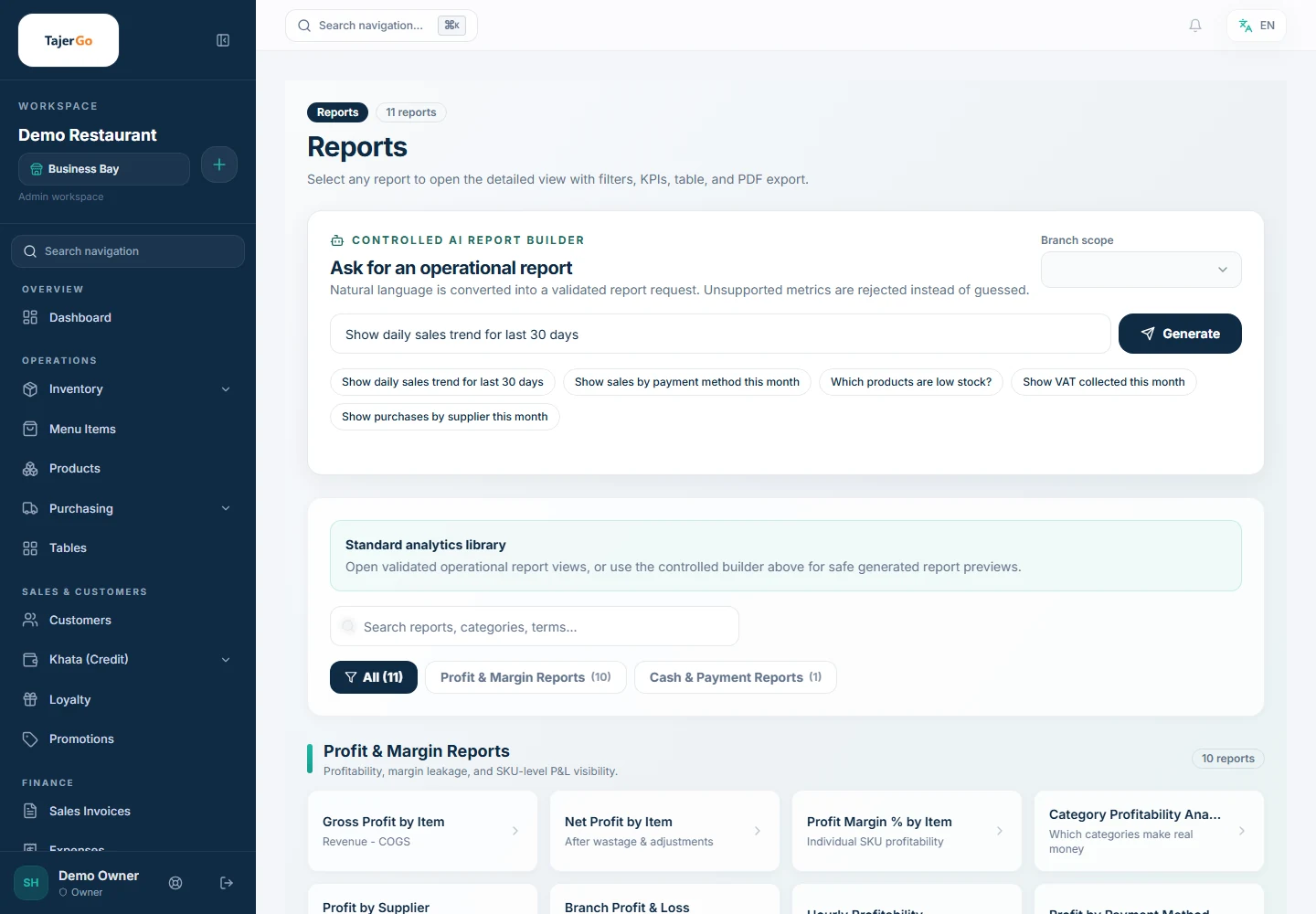
Branch profit and loss and cash variance by shift sit in one view, with filters shown next to every number.
Demonstration data Ask a supported question
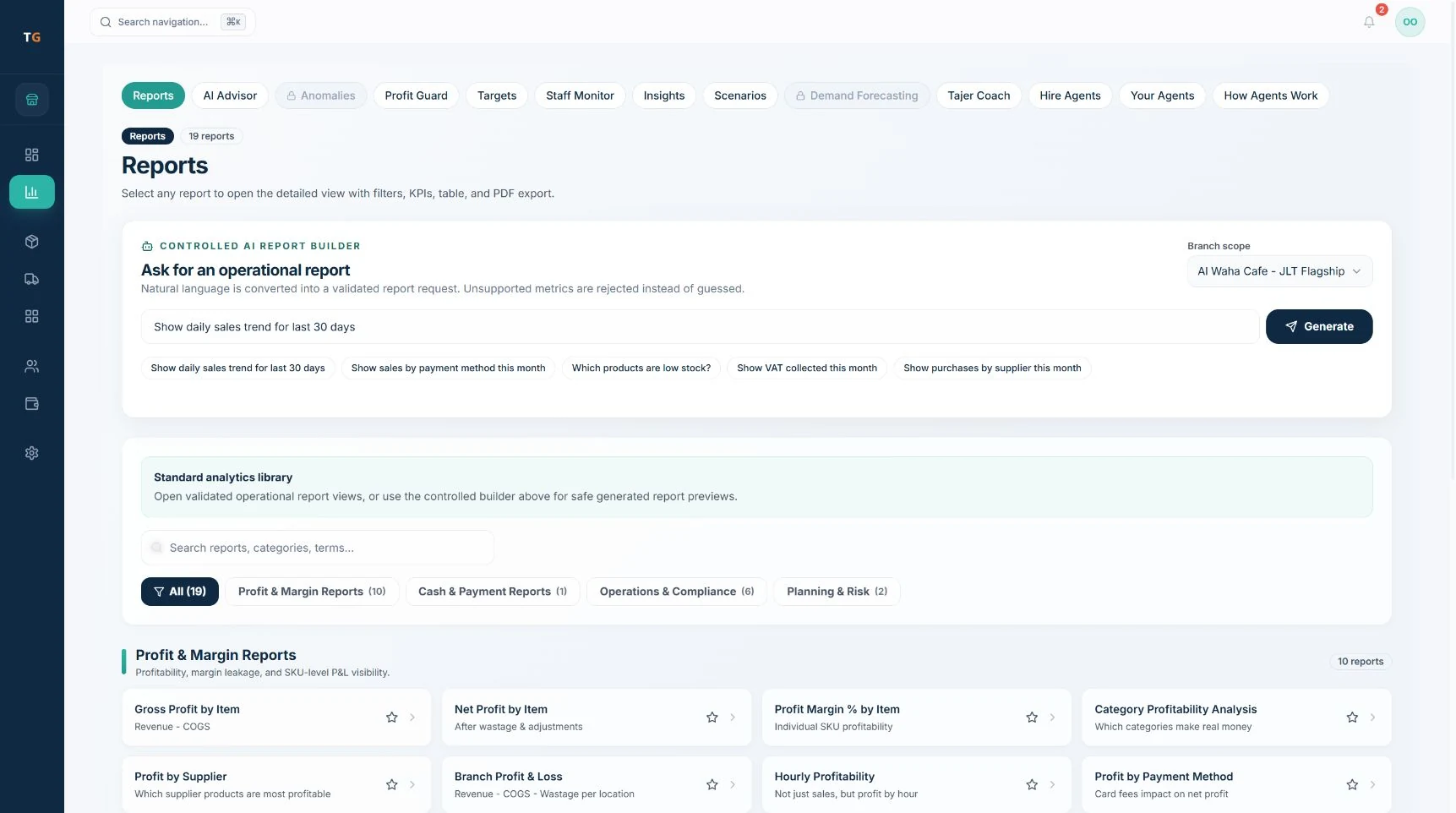
Type a question such as daily sales for the last 30 days; the builder shows the metric, dates and branch it used.
Demonstration data
What you can do
Margin by dish and category
Profit by item and menu category, using recipe cost from real stock records.
Branch profit and loss
Each branch and the group, with the same definitions.
Shift and cash variance
Counted cash against expected, from each shift close.
Owner briefing
Weekly on Free; daily on Starter and above.
Advanced analytics and exportsGrowth plan
Deeper analysis and exports for the owner and accountant.
Report BuilderScale plan
Plain-language questions checked against approved metrics.
The connected loop
Connected to
Pricing
Plans and pricing
From the help centre
See how the workflow actually works
Product documentation, not customer stories.
Frequently asked questions
Can I see which dishes make the least money?
Yes. Margin by item and category uses the recipe cost of each dish, once recipes and receiving are set up.
How often does the owner briefing arrive?
Weekly on the Free plan, daily on Starter and above.
Does the Report Builder answer any question?
No. It answers questions that use supported metrics inside your access, and says so when it cannot.
Can the accountant use the exports?
Yes, as a starting point. Ask your accountant to validate them before VAT filing or financial statements.
Read yesterday’s service in the demo
Book a demo or start on the free plan.
Ask our team to call you
Leave your details and the TajerGo team will get back to you.