

Restaurants & cafés: multi-branch
Multi-branch restaurants: local control, one owner view
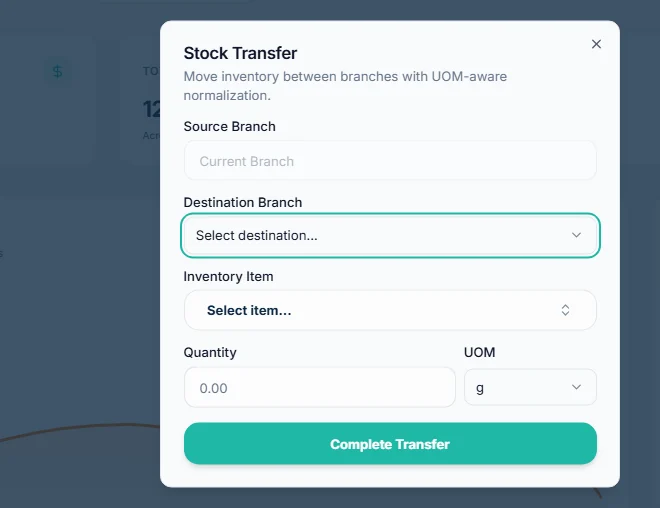
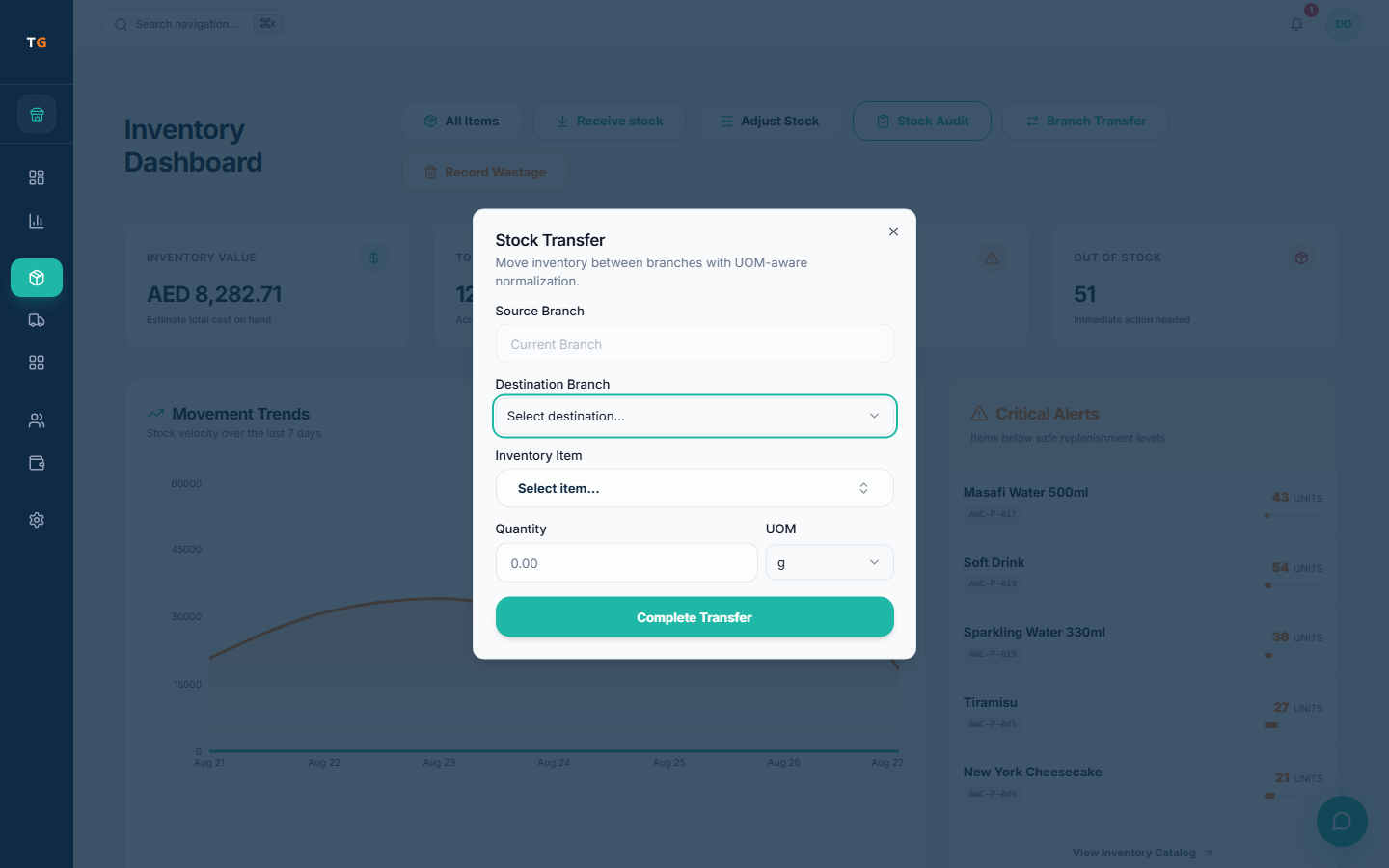
TajerGo runs several restaurant branches under one business account. Each person sees the branches their role allows, stock and purchasing stay with the right branch, and stock moves between branches or from a central kitchen through a transfer with units converted. Owners compare branch profit and loss side by side. Each active branch is billed on the same plan.
Step by step
How it works
Set up branches and access
Add each outlet, agree what they share (menu, prices, settings), and give cashiers and managers their own branch.
Branches linked to one owner hub Transfer stock
Send prep from the central kitchen or move ingredients between branches, with units converted.
Demonstration data Compare branch results
Sales, shifts, stock and profit per branch and for the group, with the same definitions.
Branch results meeting in one owner view
What you can do
Branch access by role
Each user has their branches and role, not one shared login.
Per-branch settings
Share the menu and core settings, keep local prices or printers where a branch needs them.
Transfers and central kitchen
Stock transfers with unit conversion, on the record at both ends.
Branch purchasing
Orders, receiving and supplier bills show which branch asked, received and approved.
Branch profit and loss
Compare branches and the group in owner reports.
The connected loop
Connected to
Pricing
Plans and pricing
From the help centre
See how the workflow actually works
Product documentation, not customer stories.
Frequently asked questions
How is a multi-branch restaurant priced?
Each active branch is billed on your plan. Compare plans on the pricing page.
Can a central kitchen send prep to branches?
Yes, through stock transfers, which record the move at both ends with units converted.
Do branches share one stock balance?
No. Each branch keeps its own stock unless you agree a shared setup during onboarding.
Is a kiosk a new branch?
Not always. A kiosk using an existing branch’s stock can be a kiosk add-on; a location with its own stock and reporting is an active branch.
Compare two branches in the demo
Book a demo or start on the free plan.
Ask our team to call you
Leave your details and the TajerGo team will get back to you.