

On this page
Quick answer: The TajerGo procurement agent can review low-stock signals, recommend quantities and suppliers from available records, prepare a purchase-order draft, and turn an uploaded supplier invoice into a structured review draft. Purchase orders, receiving, stock and accounting effects remain behind permissions and human approval.
Your team should run the restaurant, not rebuild purchasing records. The procurement agent helps move the work from stock signal to reviewed invoice while authorized people retain control.
See the commercial workflow on the TajerGo Procurement Agent product page.
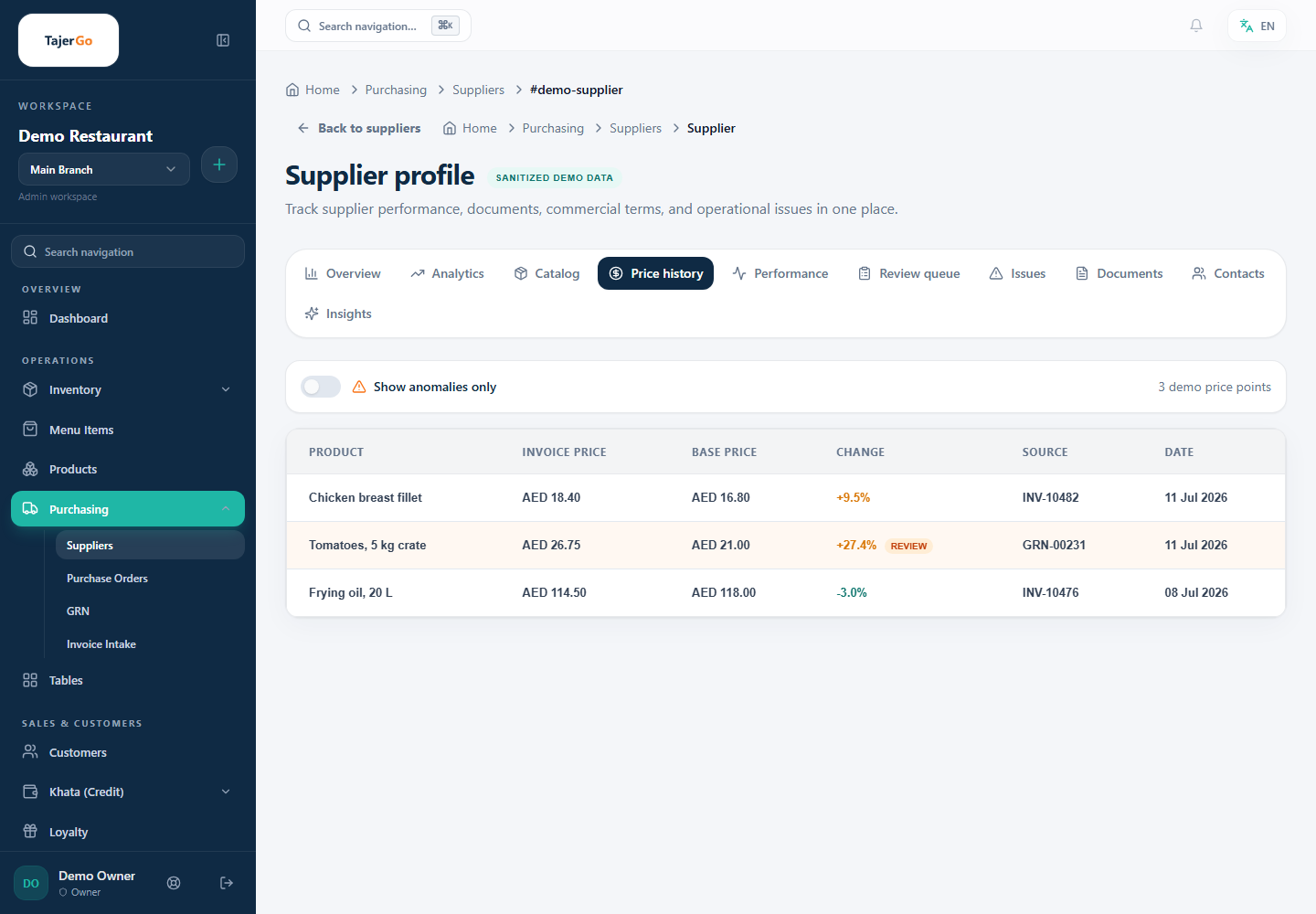
Supplier price history in the TajerGo Admin. All names and values shown are sanitized demonstration data.
The controlled procurement flow
| Step | What the agent prepares | What your team controls |
|---|---|---|
| 01. Watch stock signals | Low-stock, safety-stock and inventory-health review | Confirm current operational need |
| 02. Build the buying plan | Suggested quantities and supplier options using available latest prices and payable context | Select the supplier and adjust quantities |
| 03. Prepare the purchase order | A purchase-order draft matched to inventory items | Approve or reject before a real PO is created in TajerGo |
| 04. Prepare invoice review | Agent-prepared supplier, totals and line items from an uploaded photo or PDF | Compare the draft with the source invoice |
| 05. Complete the governed record | A connected PO, GRN, invoice and reconciliation trail | Confirm receiving, resolve validation issues and approve posting |
See supplier cost changes in context
TajerGo can use available supplier records and latest known unit prices to support a reorder recommendation. Purchasing and supplier views can help the team compare current records with prior approved transactions. Final alert, chart and history coverage must be confirmed for the deployment.
From invoice image to review draft
Upload a supplier invoice photo or PDF. The invoice agent prepares a structured draft with the supplier, totals and line items it can understand. The same file is checked for recent duplicate processing. Staff review the draft in Admin under Purchasing, then Invoices.
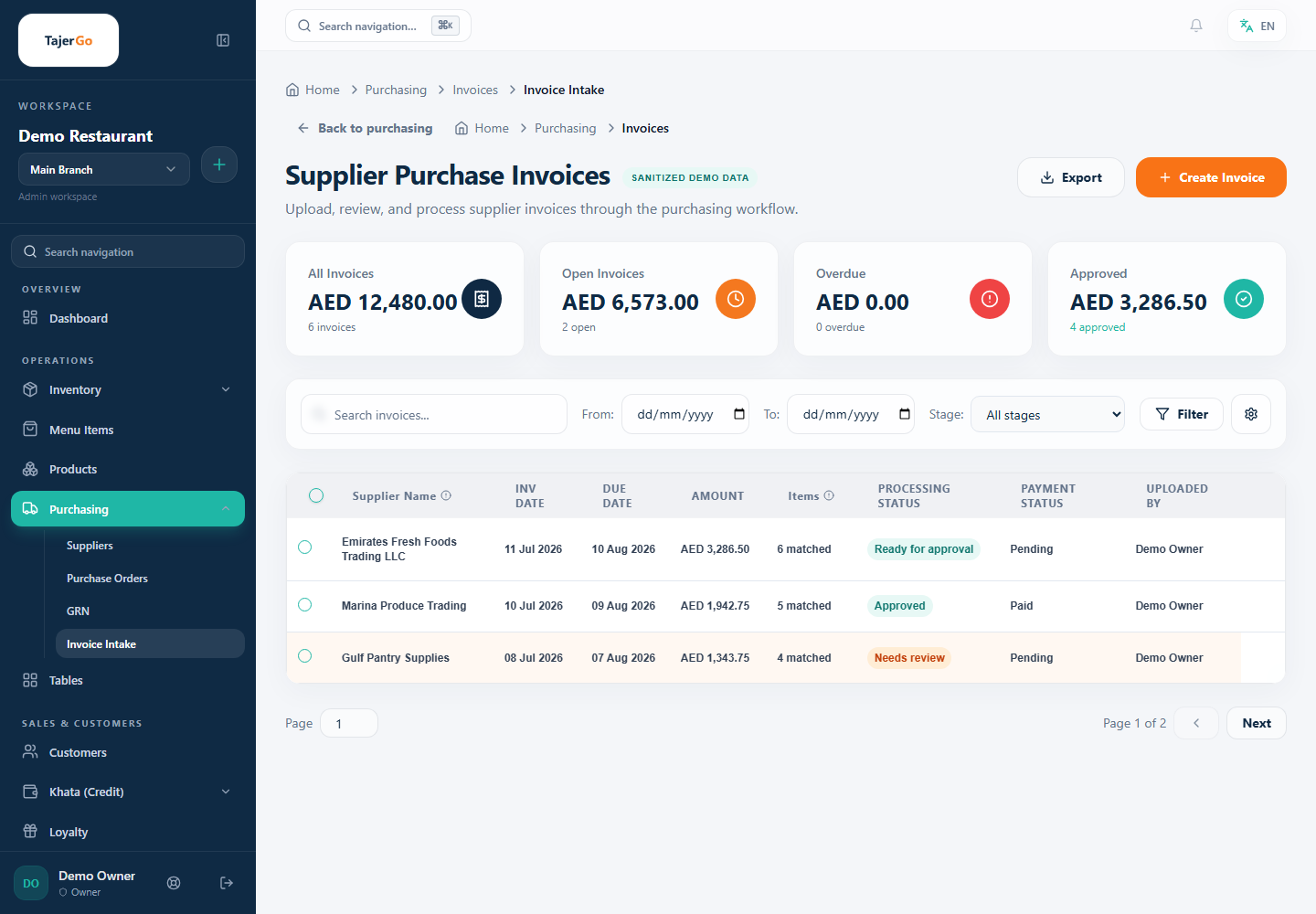
Invoice review and approval states. All suppliers, users and amounts shown are sanitized demonstration data.
The intake step does not post stock or accounting entries by itself. This is intentional. A document can be unclear, a line can describe a new product, and the received quantity can differ from the invoice. Human review protects the restaurant record. Once approved and posted, TajerGo can update payables and stock. If an approved GRN already updated stock, the posting workflow avoids adding it twice.
Approval is part of the product
A procurement agent is useful only when it is controlled. TajerGo checks the authenticated Business Account, branch access, capability and enabled agent scope. Purchase-order writes require explicit approval. Rejected work remains available for the supported audit process.
Availability
Procurement Agent is an optional Business-wide add-on listed at AED 1,499 per month. Review the current plans and add-ons and confirm the supplier workflow during your demonstration.
Frequently asked questions
Does the procurement agent automatically send an order to a supplier?
The agent prepares the purchase order for approval. Sending to a supplier and delivery follow-up depend on the channel configured for your account. Confirm the channel, sender and manual steps during setup before relying on external delivery. An approved purchase order is not by itself proof that the supplier received it.
Does an uploaded invoice immediately increase stock?
No. Uploading creates a review draft. Stock changes require the approved receiving and invoice workflow.
Can the agent confirm that every item was received correctly?
The system can support a receiving record and comparison workflow. An authorized person confirms what physically arrived. The agent does not replace the receiving check.
Can the agent work across every branch?
Only within the branch scope permitted to the authenticated user and enabled for the agent.
About this guide. Maintained by the TajerGo Editorial Team. Last updated 11 Jul 2026. Worked examples use illustrative numbers, not customer results.