

Cloud kitchens · Reports
See which brand and which app actually pays
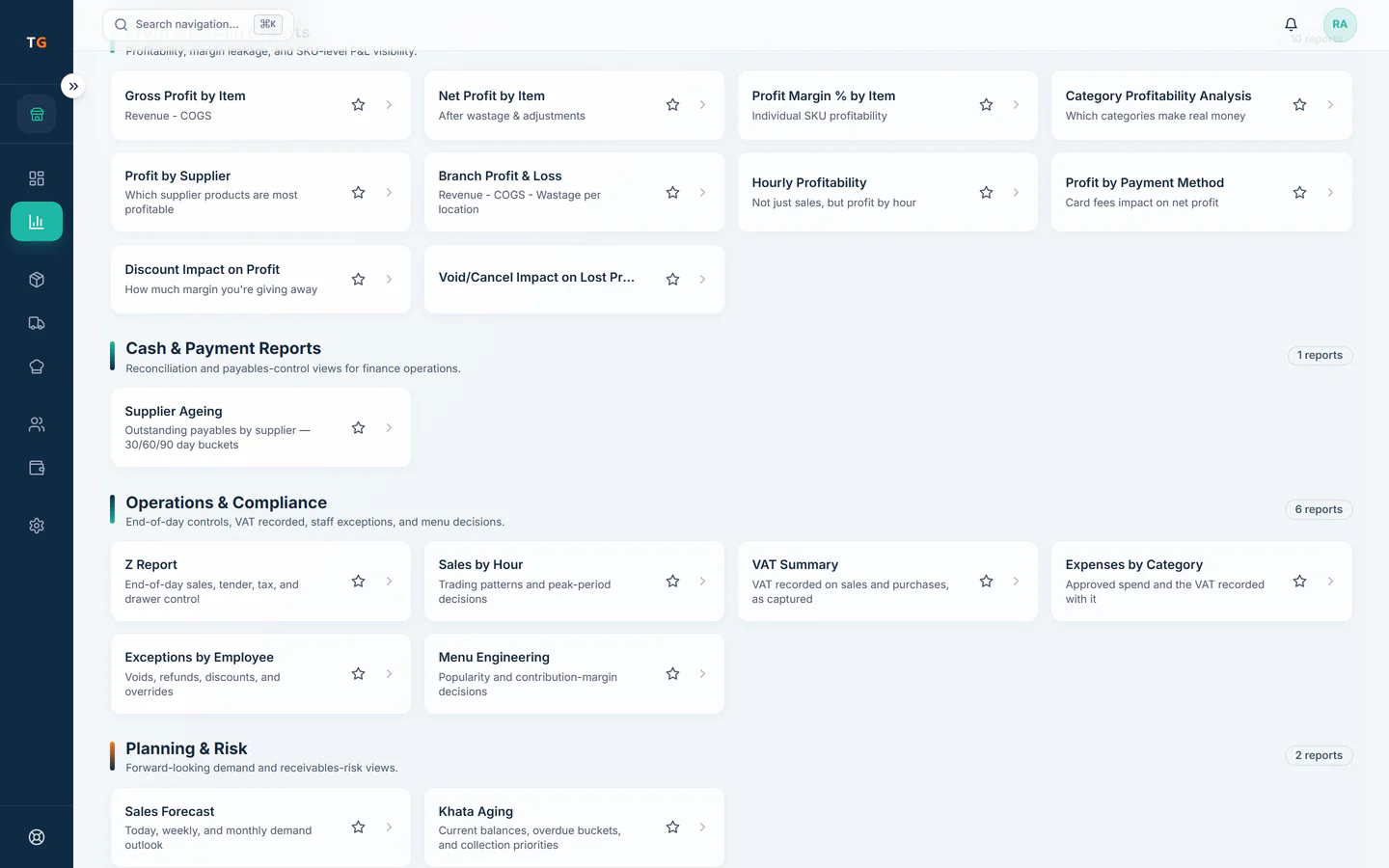
The owner dashboard shows the kitchen's sales, gross profit, payment mix and stock alerts for the period you choose. For a cloud kitchen the useful cut is per brand and per channel, with the recorded commission taken off, so a busy brand on an expensive app shows as it is. Report Builder is on the Scale plan.
Step by step
How it works
Pick the period
Today, seven days, month to date or last month, for one kitchen or all of them.
Several kitchens report into one owner view. Split by brand
Read sales and margin for each brand the kitchen runs.
Menu price, less commission, food cost and packaging, leaves what a brand order keeps. Split by channel
Compare the pickup counter and each delivery app after the commission recorded on their orders.
Orders keep the channel that sold them. Act on the alerts
Low-stock items and wastage appear beside the money, so the next purchase is decided on the same screen.
Low-stock items flagged, with a reorder drafted.
What you can do
Owner dashboard
Sales, gross profit and margin, payment mix, expenses and wastage.
Brand and channel margin
Sales and margin per brand and per channel.
Advanced analytics and exportsGrowth plan
Deeper analysis and exports of the kitchen's data.
Report BuilderScale plan
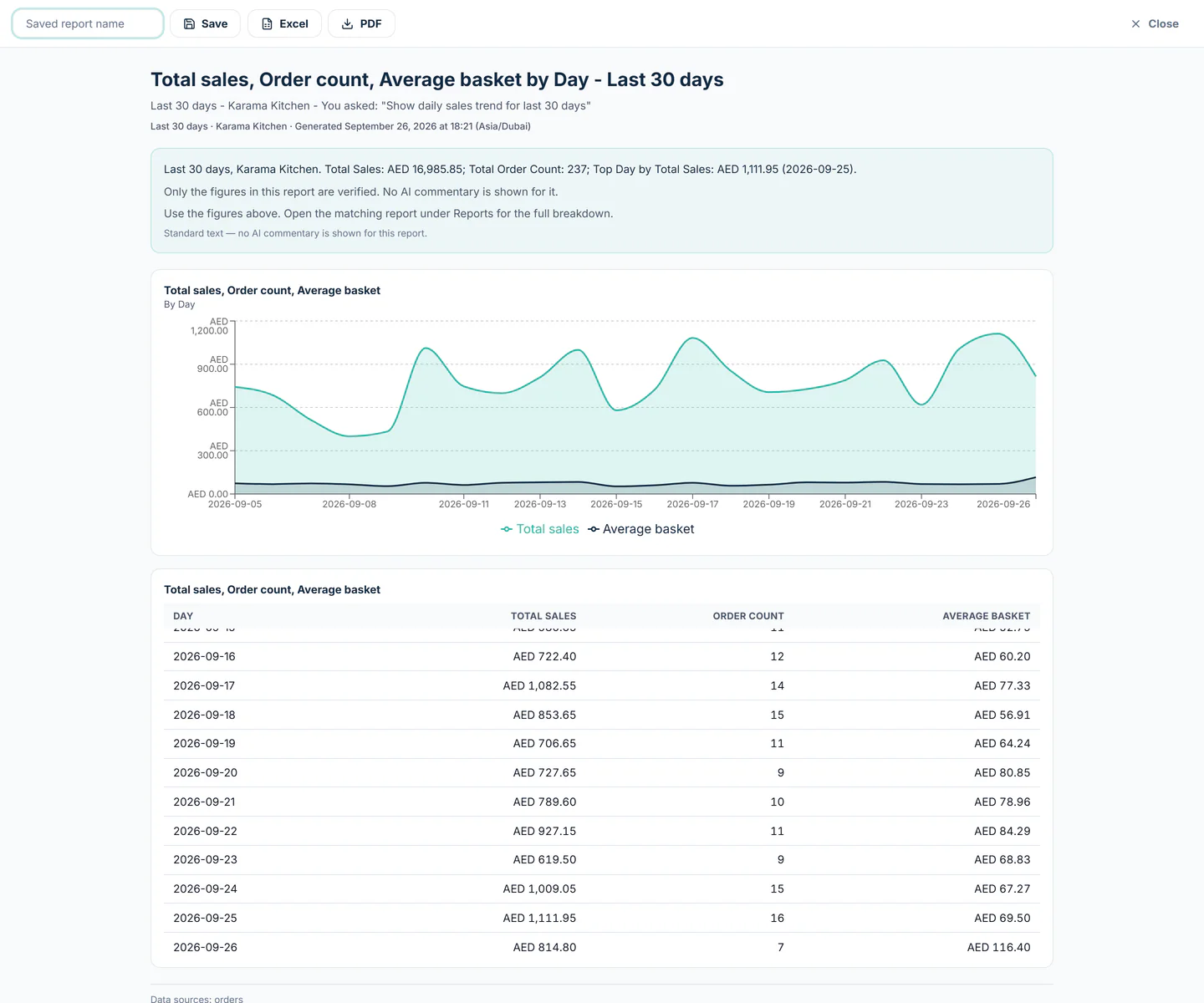
Build your own report from the allowed metrics.
The connected loop
Connected to
Inside the product
Pricing
Plans and pricing
From the help centre
See how the workflow actually works
Product documentation, not customer stories.
Frequently asked questions
Can I see profit per brand?
Yes. Sales and margin are available per brand, and per channel where commission is recorded on the orders.
Which plan includes exports?
Advanced analytics and exports are on Growth and above. Report Builder is on Scale.
Are the dashboard numbers live?
They come from the orders, purchases and stock movements recorded in TajerGo for the period you select.
Look at last month by brand
Book a demo or start on the free plan.
Ask our team to call you
Leave your details and the TajerGo team will get back to you.