
Retail & grocery · Inventory
Know what is on every shelf, SKU by SKU
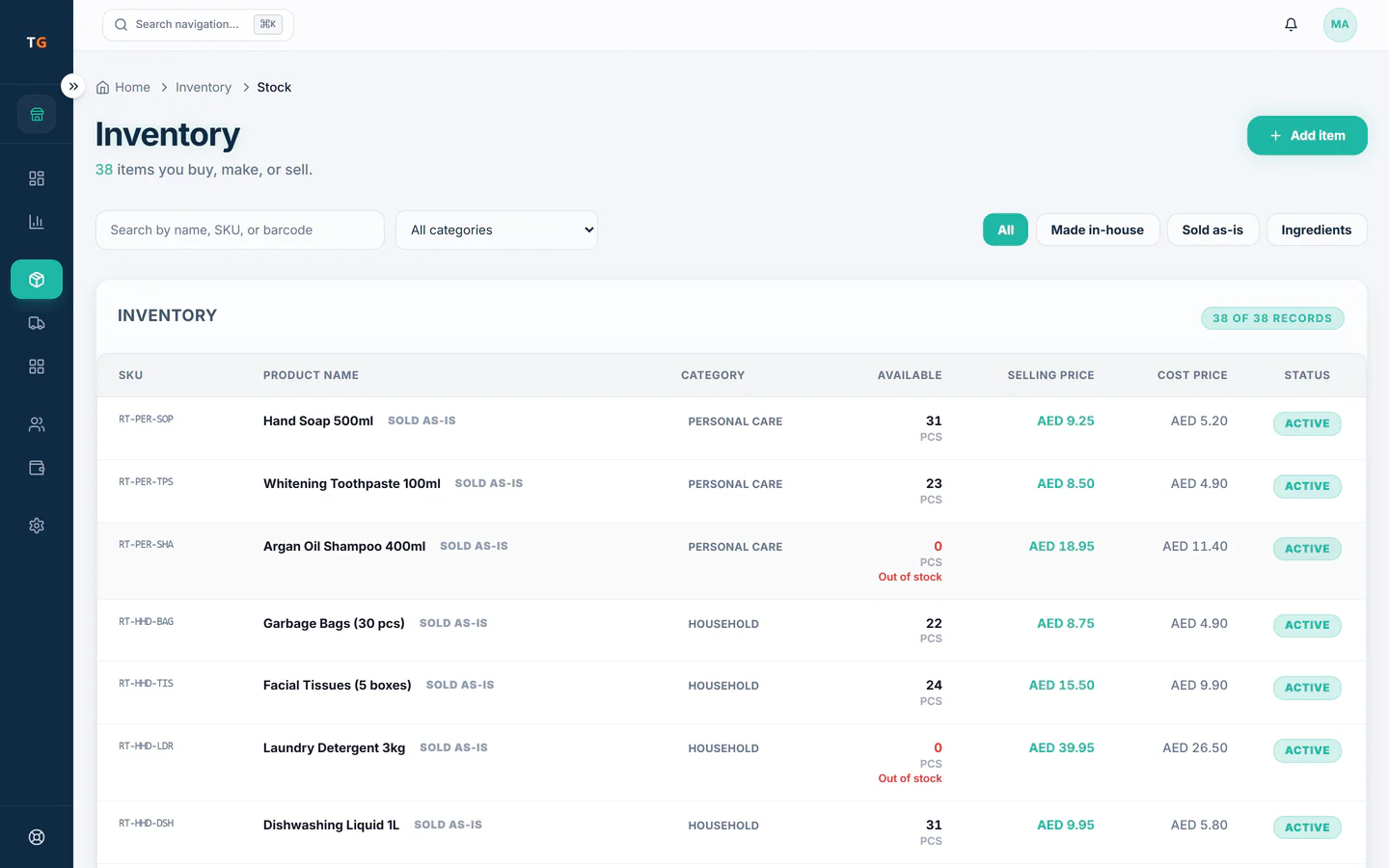
In TajerGo every sale takes stock off the exact SKU and variant, every delivery adds it back, and products that fall below their reorder level are flagged. Shops can move stock between branches, and stock counts with variance review plus bulk import and export come with the Growth plan.
Step by step
How it works
Load the catalogue
Add products with their barcodes, variants and reorder levels, one by one or from a spreadsheet on Growth.
Each product and variant carries its own barcode. Sales take stock off as they happen
A scan at the till reduces the count for that SKU. Nobody updates a stock sheet at night.
Counts fall as items sell and low lines are flagged. Move stock where it sells
Send cartons from one shop to another with a transfer, so both counts stay right.
A stock transfer between two shops under one owner view. Count and settle the difference
Run a stock count, review the variance line by line and approve the adjustment. Stock counts are on Growth.
A stock count adjustment waits for a manager to approve it.
What you can do
Stock per SKU and variant
See on-hand quantity for each size, colour or pack, not just the parent product.
Low-stock flags
Set a reorder level per product and see what has dropped below it.
Transfers between shops
Record stock moving from one branch to another so neither count drifts.
Landed cost on imported goods
Spread freight and duty over the goods received, so margins use the real cost.
Stock counts with variance reviewGrowth plan
Count the shelves, compare with the system and approve the difference.
Bulk import and exportGrowth plan
Bring a product list in from a spreadsheet and take stock data out for your accountant.
The connected loop
Connected to
Pricing
Plans and pricing
From the help centre
See how the workflow actually works
Product documentation, not customer stories.
Frequently asked questions
How does TajerGo track stock in a shop?
Each product and variant has a count. Sales reduce it, deliveries increase it, and transfers move it between shops, so the number on screen follows the shelf.
Can I run a full stock count?
Yes, on the Growth plan. Staff count the shelves, TajerGo shows the variance per line and a manager approves the adjustment.
What is landed cost and why does it matter?
It is the price of the goods plus freight and duty. Spreading those costs over the items gives a margin you can trust for imported lines.
Can each product have its own reorder level?
Yes. Set a reorder level per product, and anything that falls below it shows on the low-stock list ready for the next purchase order.
See a shop’s stock move with every sale
Book a demo or start on the free plan.
Ask our team to call you
Leave your details and the TajerGo team will get back to you.