On this page
- What Does Purchase-to-Plate Tracking Mean?
- Start With a Clean Ingredient List
- Define Purchase, Stock and Recipe Units
- Stage 1: Plan Purchases From Usable Stock and Demand
- Stage 2: Receive What Arrived, Not What Was Ordered
- Stage 3: Store Ingredients So the Records Remain Usable
- Stage 4: Track Preparation and Production
- Stage 5: Connect Menu Sales With Ingredient Usage
- Stage 6: Record Waste, Transfers and Other Consumption
- A Worked Purchase-to-Plate Example
- Stage 7: Count Stock and Investigate Differences
- Which Ingredient Reports Should Managers Review?
- How to Set Up Ingredient Inventory Software
- Test the Journey With One Ingredient
- In the product
- Frequently Asked Questions
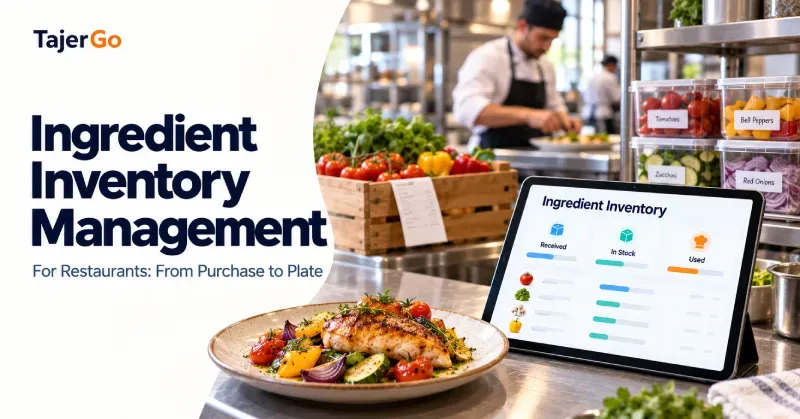
A restaurant can record every supplier invoice and still struggle to explain where its ingredients went. Purchases show what entered the business. Sales show what customers ordered. Ingredient inventory management for restaurants connects those records with receiving, storage, preparation, recipes, waste and physical stock counts.
Consider chicken purchased for several menu items. Some stays in storage, some becomes prepared portions, some reaches customers, and some may be discarded. A reliable inventory record needs to account for each movement without counting the same consumption twice.
For UAE restaurants, cafes and central kitchens, this purchase-to-plate approach helps teams check availability, plan orders and investigate differences between expected and actual stock.
What Does Purchase-to-Plate Tracking Mean?
Purchase-to-plate tracking follows ingredients through the stages where their quantity, location, condition or form changes.
The workflow usually includes:
- Planning and approving a purchase.
- Receiving and checking the delivery.
- Recording stock in the correct units.
- Storing and rotating ingredients.
- Issuing materials for preparation or production.
- Connecting consumption with recipes and sales.
- Recording waste, transfers and other usage.
- Counting stock and investigating differences.
The purpose is to maintain an explainable record. At any point, the team should be able to identify what is available, where it is held and which transactions changed its balance.
That requires consistent kitchen routines as well as suitable software.
Start With a Clean Ingredient List
The ingredient record is the foundation of restaurant stock control. If the same product appears under several names, purchases and consumption can become split across different balances.
For example, “fresh tomato,” “tomatoes” and “tomato kg” may all refer to one stock item. One record could show a shortage while another shows unused stock.
Standardise names without merging different products
Create a consistent naming approach that staff can recognise.
Separate items when their specification matters. Boneless chicken breast and whole chicken should not share one inventory record simply because both are chicken. Different products can have different costs, yields and recipe uses.
Useful ingredient details include:
- Standard item name.
- Stock unit.
- Purchase pack size.
- Supplier references.
- Storage location.
- Relevant recipe connections.
- Reorder settings.
Supplier descriptions can be mapped to the standard item where the software supports it. Staff should still review unfamiliar products and substitutions.
Define Purchase, Stock and Recipe Units
Restaurants rarely use ingredients in the same quantities in which they buy them.
A kitchen might purchase flour in 25 kg bags, count it in kilograms and use it in grams. Oil might arrive in five-litre containers but appear in recipes in millilitres.
These relationships need clear conversions.
| Ingredient | Purchase unit | Stock unit | Recipe unit | Conversion |
|---|---|---|---|---|
| Flour | 25 kg bag | Kilogram | Gram | 1 bag = 25 kg |
| Oil | 5-litre container | Litre | Millilitre | 1 container = 5 litres |
| Cheese | 2 kg block | Kilogram | Gram | 1 block = 2 kg |
| Eggs | Tray of 30 | Piece | Piece | 1 tray = 30 eggs |
If a flour bag costs AED 100:
$\text{Cost per kilogram} = \text{AED } 100 \div 25 = \text{AED } 4$
A recipe using 200 grams has a flour cost of:
$0.2\text{ kg} \times \text{AED } 4 = \text{AED } 0.80$
Incorrect pack sizes affect purchasing, stock balances and recipe costs simultaneously. Check conversions before entering the full menu.
Avoid untested weight-to-volume conversions
Kilograms and litres are not interchangeable for every ingredient. A conversion between them requires an appropriate product-specific basis.
Use a consistent measurement method instead of assuming that one litre always weighs one kilogram.
Stage 1: Plan Purchases From Usable Stock and Demand
A purchase order should begin with what the restaurant expects to use, what is already available and what is already on its way.
For a defined planning period:
$\text{Suggested order quantity} = \text{Expected usage} + \text{Desired ending stock} - \text{Usable stock} - \text{Confirmed incoming quantity}$
Suppose a restaurant expects to use 18 kg of rice before the next delivery and wants 4 kg remaining. It has 7 kg available and another 3 kg confirmed for delivery during that period.
$18 + 4 - 7 - 3 = 12\text{ kg to order}$
The team still needs to consider supplier pack sizes, delivery timing and storage capacity.
Separate a reorder point from an order quantity
A reorder point tells staff when to review or initiate replenishment. It does not necessarily tell them how much to buy.
Order quantities depend on upcoming demand, existing orders, shelf life and the next delivery opportunity.
Keep purchase approval separate from receiving
An approved order documents the buying decision. It does not prove that every item arrived.
TajerGo’s purchasing and supplier workflow is the relevant starting point for reviewing how supplier-side records fit into the operation.
Stage 2: Receive What Arrived, Not What Was Ordered
Receiving is where the inventory record should meet the physical delivery.
Check the product, quantity, pack size and condition against the order and accompanying documents. Record shortages, substitutions and rejected goods rather than accepting the original quantities automatically.
If the order specifies 20 kg of chicken but only 18 kg is accepted, the stock receipt should reflect the accepted quantity. The supplier discrepancy needs its own follow-up.
Distinguish invoice data from physical stock
A supplier invoice records a charge. It does not independently confirm delivery quantities or product condition.
Whether invoices are entered manually or extracted by software, staff should verify item matches, quantities and units before relying on them for stock and costing updates.
Record each receipt once
A delivery should not increase stock once during receiving and again when the invoice is processed.
Ask the software provider to demonstrate how orders, receipts and invoices connect, especially for partial deliveries and corrections.
Stage 3: Store Ingredients So the Records Remain Usable
Once stock is accepted, the restaurant needs to know where it is held and whether it is available for use.
Dry storage, chilled storage, frozen storage and preparation stations may hold separate quantities of the same ingredient.
A location structure should reflect how the kitchen works. Too little detail hides movement. Too many locations can create unnecessary entries.
Rotate stock by the appropriate date
Where expiry dates govern usability, staff should prioritise stock with the earliest relevant expiry, subject to the kitchen’s handling procedures.
Receipt order alone may be insufficient if a newer delivery expires before an older one.
Keep unusable stock out of purchasing assumptions
Damaged, spoiled or otherwise unavailable ingredients should not remain in the usable balance.
Otherwise, a manager may decide not to reorder because the software shows stock that the kitchen cannot use.
Stage 4: Track Preparation and Production
Preparation changes ingredients into products the restaurant can use differently.
Raw vegetables become cleaned portions. Flour, water and yeast become dough. Several ingredients become a sauce.
The inventory setup should represent those changes when the prepared output is stored, counted or transferred separately.
Record usable yield
Suppose 10 kg of an ingredient produces 8 kg of usable prepared output. The full purchase quantity is not available for serving.
The recipe or production record needs an appropriate yield basis so the kitchen does not understate consumption or unit cost.
Give stocked preparations their own identity
A sauce prepared and stored for later service may need its own record, measured in litres or kilograms.
When the sauce is used in a dish, the system can then track the relevant prepared quantity rather than repeatedly treating each serving as a new production batch.
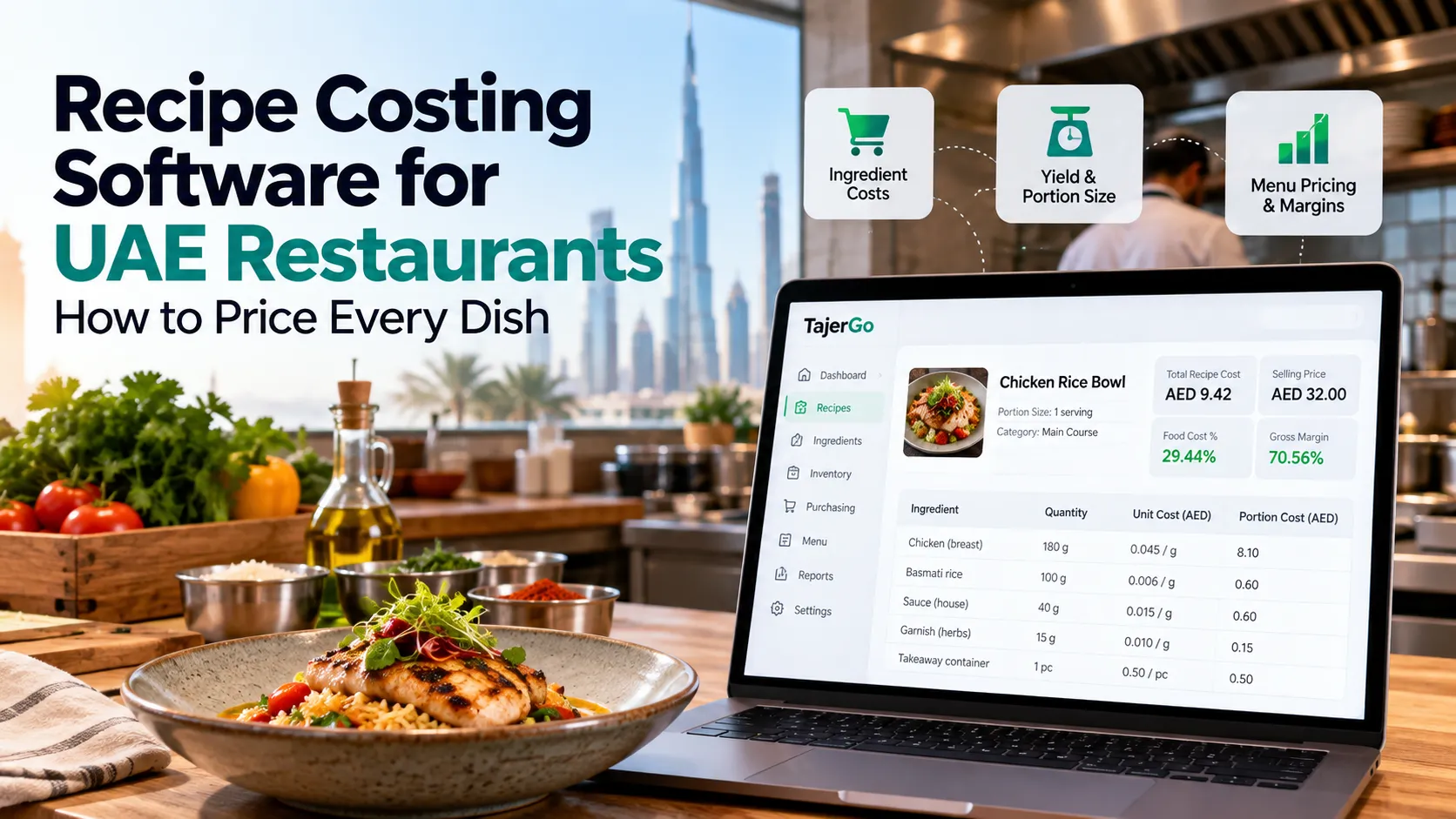
TajerGo’s recipe-costing and batch-production workflow connects ingredient mappings with planned production, recorded material use and completed output.
Prevent double deductions
If ingredients leave stock when a batch is completed, selling the finished output should not deduct those same raw ingredients again.
The correct setup depends on whether a product is made to order, produced in advance or assembled from stocked components. Test each model separately.
Stage 5: Connect Menu Sales With Ingredient Usage
A menu sale identifies a finished dish. A recipe explains the ingredients and quantities expected to produce it.
For a made-to-order sandwich, the recipe might specify:
- 150 grams of chicken.
- One bread portion.
- 25 grams of sauce.
- 30 grams of vegetables.
Selling 80 sandwiches implies:
$80 \times 150\text{ g} = 12\text{ kg of chicken}$
This is expected recipe consumption. It does not prove that staff physically used exactly 12 kg.
Over-portioning, substitutions and preparation mistakes can cause actual usage to differ.
Include supported modifiers
Extra cheese, a larger portion or a milk substitution can change ingredient usage.
Confirm how the system handles modifiers. A modifier that changes only the selling price may leave the expected stock deduction incomplete.
Choose the right tracking method
Bottled water sold as purchased generally needs a unit deduction. A prepared dish needs ingredient or component consumption.
The distinction is covered in TajerGo’s guide to ingredient-level versus finished-goods inventory tracking. Choosing the appropriate method keeps the purchase-to-plate record understandable.
Stage 6: Record Waste, Transfers and Other Consumption
Not every ingredient leaving storage becomes a customer sale.
Waste, staff meals, samples and transfers can all affect stock. The operation needs a defined way to record them.
Waste needs a quantity and reason
“Chicken wasted” is difficult to investigate.
“0.5 kg of chicken discarded during preparation because it was dropped” explains a specific movement. Record the loss once and confirm its effect on inventory.
Transfers need matching locations
Moving ingredients to another branch reduces stock at the sending location and increases it at the receiving location when the movement is confirmed.
A transfer within the same operation is not new purchasing or customer consumption.
Define how staff meals are recorded
A staff meal may follow a recipe-based internal transaction or another approved consumption method.
Whichever approach is used, it should prevent both missing consumption and duplicate deductions.
A Worked Purchase-to-Plate Example
Consider a hypothetical daily chicken-stock reconciliation. All quantities use the same raw-weight basis.
| Movement | Quantity |
|---|---|
| Opening stock | 5 kg |
| Accepted delivery | +20 kg |
| Recipe-based sales consumption | −12 kg |
| Recorded staff-meal consumption | −1 kg |
| Recorded waste | −0.5 kg |
| Transfer to another branch | −2 kg |
| Expected closing stock | 9.5 kg |
The physical count finds 9 kg.
$\text{Variance} = \text{Physical stock} - \text{Expected stock}$
$9 - 9.5 = -0.5\text{ kg}$
At an illustrative valuation of AED 28 per kilogram:
$0.5 \times \text{AED } 28 = \text{AED } 14\text{ estimated shortage value}$
The manager should review receiving, counting, portions, transfers and unrecorded usage before adjusting the balance.
This example deliberately uses one measurement basis. Comparing raw chicken quantities with cooked chicken weight without a yield conversion would produce a misleading difference.
Stage 7: Count Stock and Investigate Differences
Software maintains expected stock from recorded transactions. Physical counts test those expectations.
Count with a clear cutoff
Record the count time and control movements during the count. A delivery or production issue entered on the wrong side of the cutoff can create an apparent shortage or surplus.
Where operations continue, track movements so the count can be reconciled correctly.
Use consistent counting units
Count flour in the approved stock unit, including measured quantities in open bags where practical.
Changing between “bags,” “containers” and kilograms without conversion makes successive counts difficult to compare.
Investigate before approving an adjustment
Check recent receipts, waste entries, transfers, recipe quantities and production records.
A repeated shortage might point to a process problem. An isolated difference could simply be a counting or entry error.
Avoid assigning a cause that the records do not support.
Which Ingredient Reports Should Managers Review?
A useful reporting routine focuses on decisions.
| Report or measure | Question it helps answer |
|---|---|
| Stock on hand | What quantity is available now? |
| Recent consumption | How quickly is the ingredient being used? |
| Days of cover | How long might available stock last at the selected usage rate? |
| Waste by item and reason | Which losses need an operational response? |
| Count variance | Which recorded balances need investigation? |
| Purchase-price changes | Which ingredient costs require review? |
| Slow-moving stock | Which items need a shelf check or purchasing review? |
Days of cover is an estimate, not a demand forecast. Recent usage may be unsuitable for a holiday, event or major menu change.
The reports are most useful when managers understand the underlying quantities and time period.
How to Set Up Ingredient Inventory Software
Begin with a manageable part of the menu rather than importing incomplete data for every product.
Clean the records
Confirm ingredient names, units, pack sizes and locations. Resolve duplicates before mapping recipes.
Establish an opening balance
Complete a physical count with a defined cutoff. Record pending receipts and transfers consistently.
Map high-volume recipes first
Start with menu items that consume expensive or frequently used ingredients. Include prepared components and relevant modifiers.
Test a complete transaction sequence
Receive a delivery, complete a production step if applicable, sell a dish, record waste and perform a count. Check the stock effect at each stage.
Assign ownership
Define who maintains recipes, receives deliveries, records waste and approves adjustments. The workflow is more dependable when responsibility is explicit.
Test the Journey With One Ingredient
Choose one ingredient used across several popular dishes. Follow its next delivery through receiving, preparation, sales, waste and the closing count.
That exercise will reveal whether the restaurant can explain each movement and where records are missing. Use the same example in a TajerGo demonstration to check how the workflow fits your kitchen before expanding it across the menu.
Read next: Recipe Costing UAE Restaurant Guide · Restaurant Inventory Software UAE
Frequently Asked Questions
What is ingredient inventory management?
It is the process of recording ingredient receipts, storage, preparation, consumption and losses so expected stock can be checked against physical quantities.
Do restaurants need a recipe for every ingredient deduction?
Recipe-based sales deductions require mapped quantities and units. Other movements, such as waste or transfers, can be recorded separately. The appropriate configuration depends on the system and workflow.
Can supplier invoices replace receiving checks?
No. An invoice records what the supplier charged. Staff still need to confirm what was delivered and accepted.
How should a restaurant track sauces and dough?
If prepared components are stored or counted separately, use a production workflow that records their ingredient consumption and usable output. Confirm how subsequent use affects stock.
Does ingredient tracking show actual consumption automatically?
Recipe-linked sales show expected consumption. Physical counts and complete movement records are needed to investigate actual differences.
How often should ingredients be counted?
Set the frequency according to value, usage and risk. Expensive or fast-moving ingredients may need more frequent checks than stable dry goods. Keep comprehensive counts consistent enough to support reporting.
Can the system manage several branches?
A suitable system can maintain location balances and transfers. Confirm how dispatch, receipt, central production and branch-level reporting work in the proposed setup.
About this guide. Maintained by the TajerGo Editorial Team. Last updated 7 Oct 2026. Worked examples use illustrative numbers, not customer results.