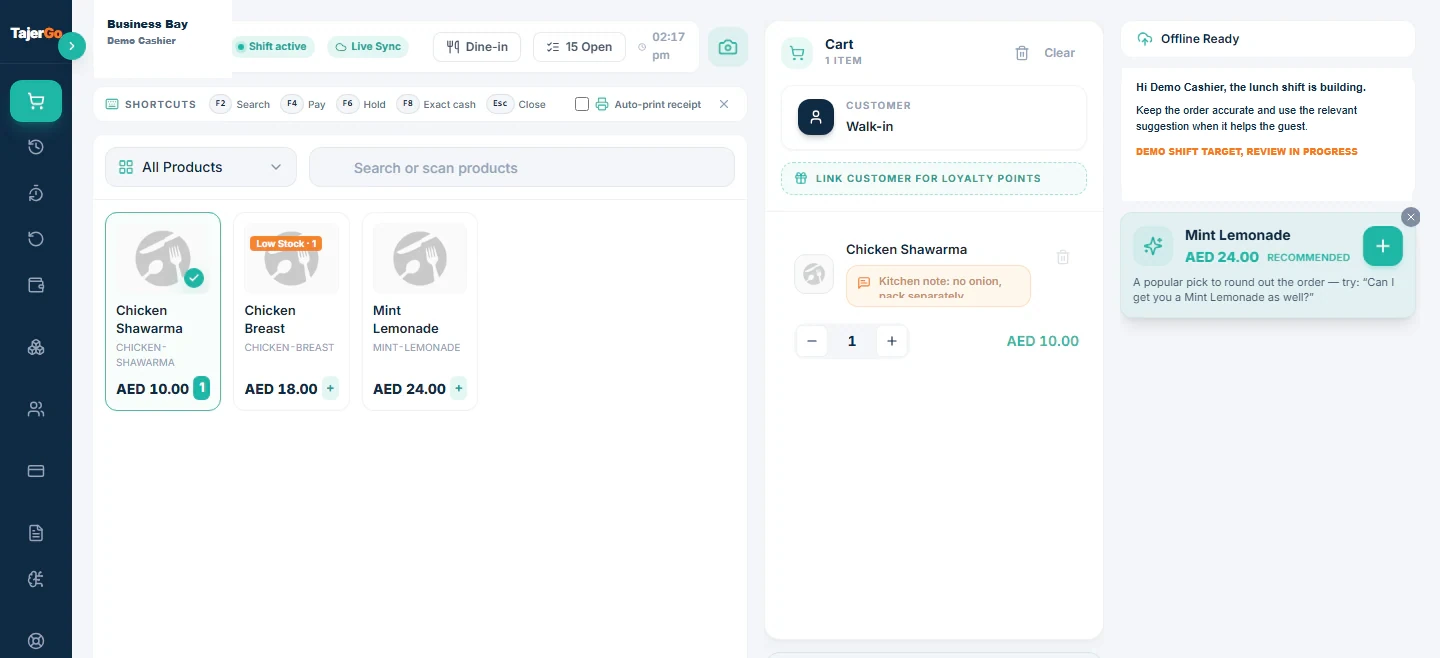
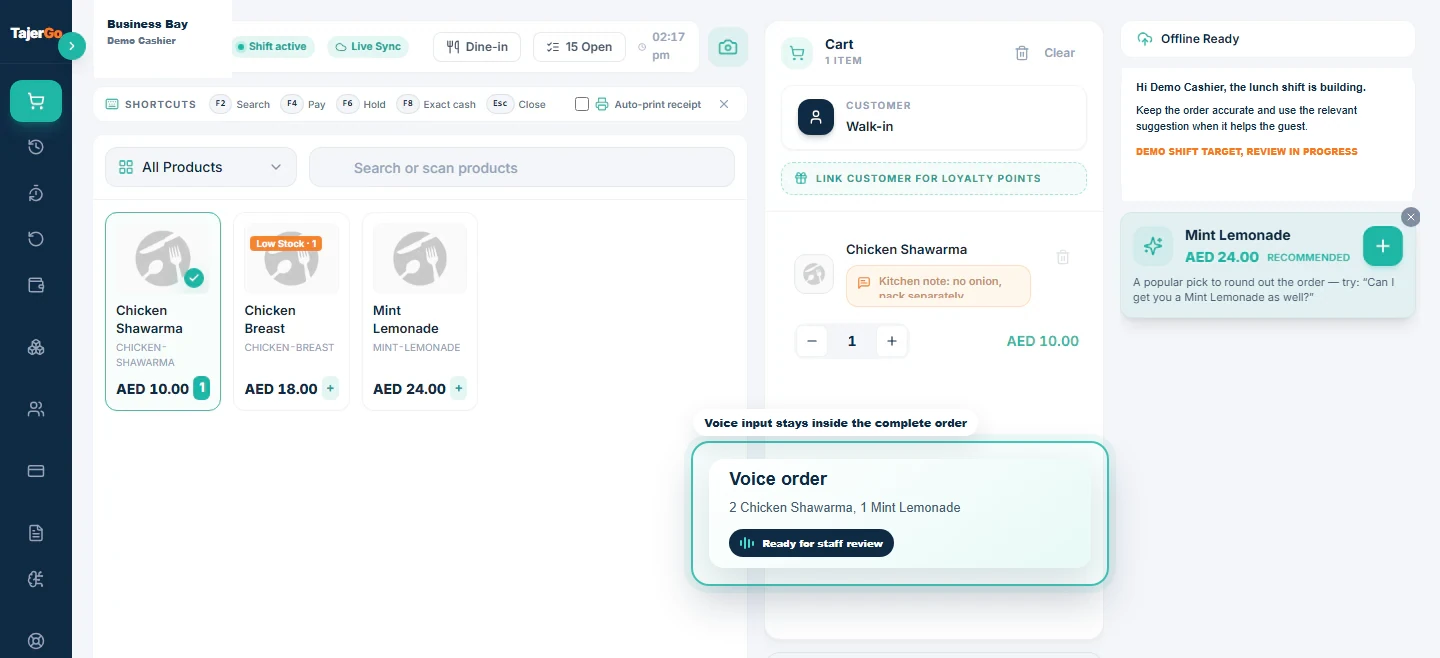
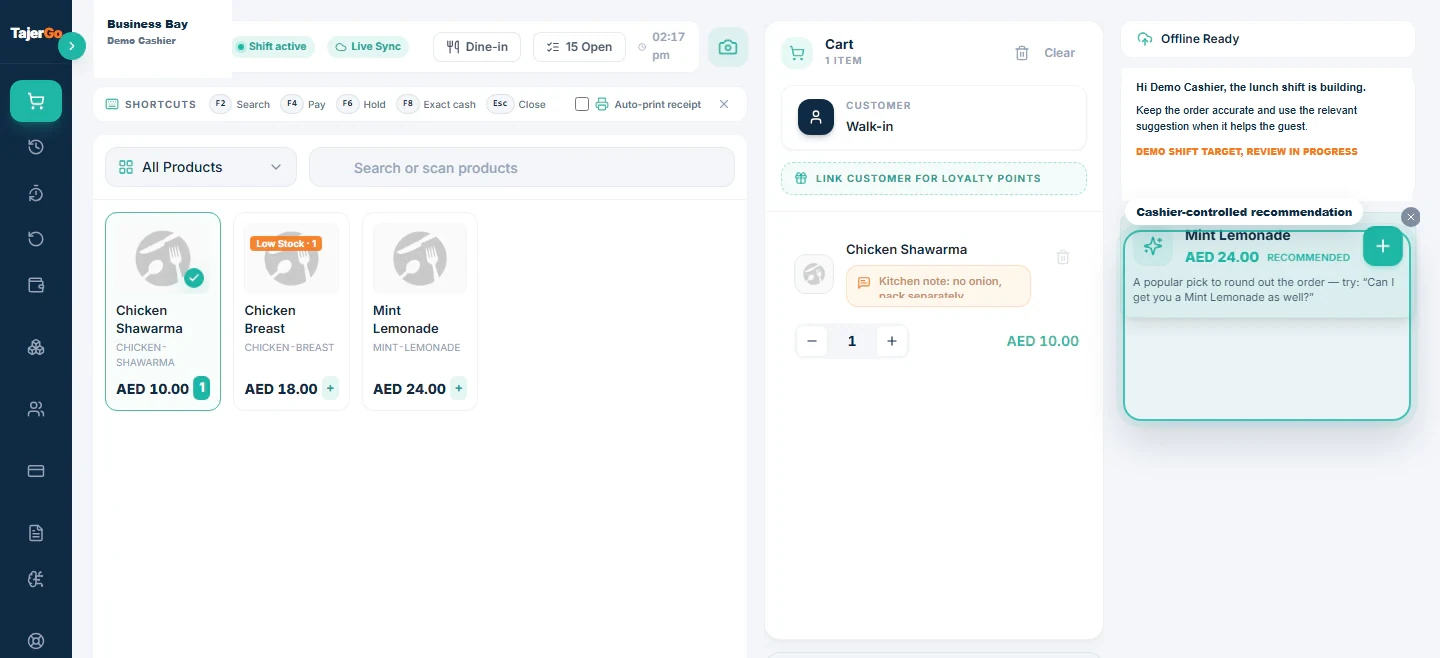
TajerGo, the UAE-built restaurant operating system that combines POS, inventory, purchasing, Khata, AI insights, and VAT compliance in one platform, puts the complete selling workflow on a single terminal. From the moment a customer walks in to the moment the receipt prints, every step — menu browsing, order building, kitchen communication, payment collection, and receipt delivery — happens in one place, with no switching between apps and no paper tickets to lose.
What POS and billing features does TajerGo include?
- Product searchFind any item instantly by name, SKU, or short name; results appear as the cashier types so large menus never slow down the queue.
- Barcode scanningScanner-gun input is detected automatically; the matching SKU is added to the cart on Enter without any additional action from the cashier.
- Category navigationThe menu is filterable by category with a dropdown; items display in a paginated 12-per-page grid so the cashier always sees a manageable set.
- Visual product gridEach menu card shows the product image, name, price, and badges for promotions, variants, low stock, and sold-out status, reducing wrong orders and undeliverable promises.
- Variants (sizes)Picking Small, Medium, or Large (or any defined variant) updates the price to the correct variant price automatically from a single menu entry.
- ModifiersAdd-ons such as extra toppings or preparation instructions ("no onion") are presented with single-select or multi-select rules and required-choice enforcement, capturing upsells and kitchen instructions at the same time.
- Cart line managementQuantity adjustment, variant and modifier review, and line removal are all available inside the cart without reopening the menu, keeping the checkout flow moving.
- Live subtotal, tax, and totalA running total shows the subtotal, any discount, VAT amount, service charge, and grand total in real time so the cashier and customer always see the current figure.
- Promo and out-of-stock badgesPromotional prices strike through the base price on the grid; sold-out items are visually marked and cannot be added to the cart.
- Held orders and resumeAny in-progress order can be parked as pending and resumed later with the full cart restored, so the cashier can handle a different customer without losing the first order.
- Walk-in and dine-in toggleOne terminal switches between counter checkout mode and table-service mode, removing the need for a separate restaurant POS.
- Order-type taggingOrders are tagged as DINE_IN, TAKEAWAY, or DELIVERY, creating the channel-level data needed for sales reporting.
- Payment method selectionCASH, CARD, WALLET, and KHATA are available at checkout based on the branch-enabled set; the cashier selects from the options the owner has turned on.
- Cash and change calculationThe cashier enters the amount tendered and the change due is shown in real time; the order total, not the tendered amount, is what is recorded in the transaction.
- Split payment (multi-tender)A single order can be collected across any combination of cash, card, and wallet; the amounts must sum to the total before checkout completes.
- Tips and gratuityQuick 5%, 10%, and 15% buttons or a custom amount can be applied on single or split payments; tips are added untaxed on top of the order total.
- Loyalty points redemptionRegistered customers can redeem earned points at checkout to reduce the total; available on online-connected transactions and not combinable with Khata, split, or tip.
- Table selection and running tabIn dine-in mode the cashier picks a table from a live map; subsequent rounds accumulate on the table's open tab until the bill is settled.
- Send round to kitchenThe current cart fires to the kitchen display system with item names, modifiers, and notes; the cart clears for the next round, and no paper tickets are created.
- Kitchen station routingEach round can be directed to a specific station (grill, fryer, bakery) or broadcast to all, getting the right prep to the right place.
- Settle table billAll rounds on a table are combined into one payment screen; settling closes the table and returns the terminal to walk-in mode.
- Split bill by guest countA quick 2, 3, 4, or 5-guest split shows the per-person share with collection guidance so groups can pay separately without a calculator.
- Merge tablesTwo occupied tables' tabs can be combined into one session for groups that move or join, with one payment covering the combined total.
- Receipt printing and customizationThermal receipts include the business logo, VAT/TRN number, tax-invoice or simplified-invoice label, customer data masking, refund policy, and a configurable footer; paper size (58mm or 80mm) and merchant and customer copy counts are all configurable.
- Public QR invoiceThe receipt QR code opens a token-verified public page on the customer's phone showing items, taxes, total, payment method, and table; a verification badge confirms authenticity, and the page reflects REFUNDED or CANCELLED status if applicable.
How POS and billing work in TajerGo
Menu navigation and order building
The selling screen is the cashier's primary workspace. A category dropdown at the top filters the visual grid to the relevant section — starters, mains, beverages — and the product search bar handles anything the cashier knows by name or SKU. Barcode scanning is transparent: the system detects scanner input and adds the item without the cashier choosing between scanning and typing. When a product has variants, a size-picker appears and the price updates to match. When a product has modifiers, the add-on sheet opens automatically so the cashier completes the specification before the item goes into the cart. The cart shows the running total, VAT, and any discounts at all times; lines can be adjusted or removed without going back to the menu.
Payments and split billing
At checkout, the cashier selects from the payment methods the branch owner has enabled. For cash, the tendered amount field calculates change in real time. For split payments, a multi-tender flow lets the cashier allocate any combination of payment types against the total; the checkout button activates only when the allocated amounts sum correctly. Tips are added as a separate untaxed line. For loyalty redemption, the customer's available points are shown and the deducted amount is applied to the order before final totaling. For Khata (credit), the system validates the customer's available credit limit in real time and blocks the transaction if it would exceed the limit, with a manager-override path available for approved exceptions.
Table service workflow
Switching the terminal to dine-in mode replaces the counter checkout with a table map. The cashier taps a table, builds the first round of items, and fires it to the kitchen. The table stays open; subsequent rounds are added the same way. When the party is ready to pay, the cashier opens the table and settles the accumulated tab. For groups, the split-bill screen shows how much each person owes for a 2-to-5-way even split. If two parties merge at a table, the merge-tables function combines the open tabs into one session. Merge, split, and settle all operate inside the same terminal without any separate restaurant management system.
Receipts and public invoice verification
Every settled transaction produces a thermal receipt with the business TRN, a VAT breakdown, and the correct invoice type label. The receipt includes a QR code that the customer can scan immediately or refer to later; the public invoice page shows the full transaction detail and confirms authenticity with a verification badge. If the transaction is subsequently refunded or voided, the public page updates to reflect that status, giving customers a reliable self-service verification tool and reducing receipt disputes.
Who is this for?
- UAE counter-service restaurants and cafes needing a fast, scan-and-tap checkout with VAT-compliant receipts.
- Dine-in restaurants that want table service, kitchen display routing, and bill splitting without running a separate restaurant system alongside the POS.
- Multi-tender environments — food courts, hotel restaurants, or catering — where customers routinely pay with a mix of cash, card, and wallet.
- Any UAE food business that needs FTA-compliant receipts and a verifiable public invoice on every transaction.
- Restaurants with credit-selling relationships that need Khata posted directly from the till with real-time limit validation.
Why it matters for UAE restaurants
A UAE restaurant checkout has requirements that are not standard in most markets: VAT must be correctly applied and itemized, the TRN must appear on the receipt, the invoice must be verifiable, and the system must work when the internet drops. Most POS systems handle some of these; TajerGo handles all of them from a single terminal.
The offline-first architecture matters particularly in the UAE, where restaurant locations in malls, basements, and older buildings frequently experience intermittent connectivity. Cash and wallet orders queue on the device and sync when the connection returns, with no lost transactions and no need for a backup system. The public QR invoice satisfies customer demand for digital proof-of-purchase without requiring the restaurant to manage a separate verification service.
Table service, kitchen routing, bill splitting, and table merging are included in the same terminal used for counter checkout — there is no additional restaurant-management module to license or learn. All of this starts from AED 499 per branch with no feature locked behind a higher tier.
Frequently asked questions
How do I set up a menu in TajerGo's POS?
Menus are built in the admin portal under Catalog. Each product gets a name, price, category, optional image, and tax profile. Variants (sizes) and modifiers (add-ons) are configured per product. Once saved, the menu appears on the POS terminal immediately across every registered terminal at the branch.
How do I split a bill or merge tables in TajerGo?
For a split bill, open the settled table's payment screen and select the number of guests (2 to 5); the system divides the total evenly and shows the per-person amount. To merge tables, select the merge-tables option from either table's session screen and choose the second table to combine; the tabs are joined into one session and settled together.
How do modifiers and variants work at the till?
When a product with variants is tapped on the grid, a size-picker appears and the price updates to the selected variant. When a product with modifiers is added, the add-on sheet opens showing the available options with single-select or multi-select rules and any required choices highlighted. The cashier completes the specification before the item enters the cart; the modifier selections print on the kitchen ticket.
Why does offline POS matter for UAE restaurants?
Internet connectivity in some UAE restaurant locations — mall food courts, basement spaces, and older buildings — can be unreliable. TajerGo queues cash and wallet orders locally on the device when offline and syncs them automatically when connectivity is restored. The cashier sees a queue reference on the success screen. No sales are lost and no manual reconciliation is needed after reconnection.
Does TajerGo produce VAT-compliant receipts?
Yes. Every receipt includes the business TRN, a VAT breakdown showing the rate and the AED tax amount, and is labeled as either a simplified tax invoice or a full tax invoice based on the transaction. The receipt QR code links to a public invoice page that is token-verified and displays a confirmation badge, meeting FTA requirements for verifiable tax documents.
Can I accept multiple payment types in one transaction?
Yes. The split-payment (multi-tender) feature lets the cashier allocate any combination of cash, card, and wallet to a single order. The amounts must sum to the total before the transaction can be completed, and the payment breakdown is recorded in full on the receipt and in transaction history.
---
---
Want the deep-dive guide? Read the related TajerGo guide for the full walkthrough.
Explore more TajerGo features
Every feature, one flat price
TajerGo is AED 499 per branch with every feature included — no upgrade gatekeeping.
Book a demoSee pricing