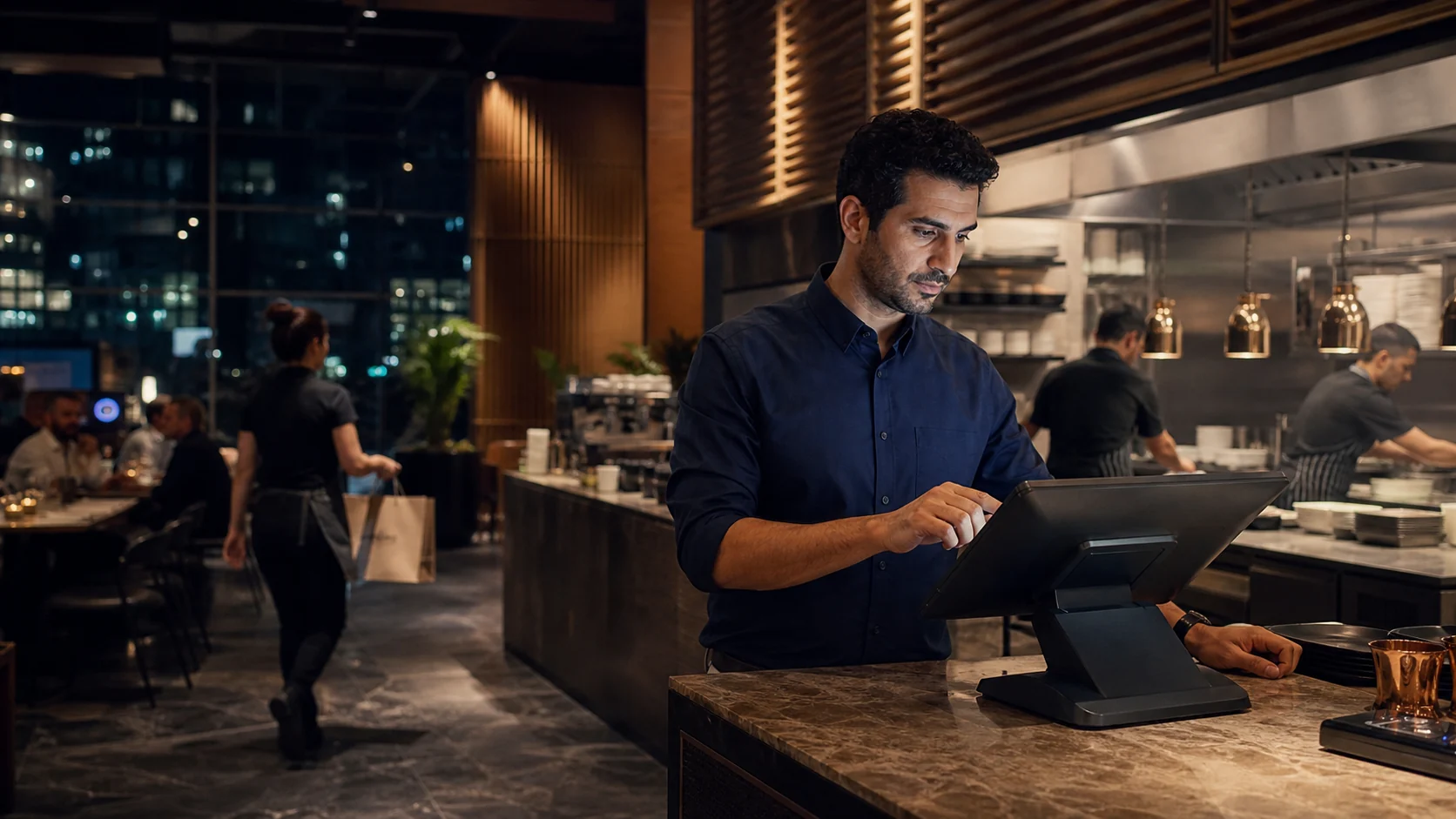
Separate the service type
Use configured dine-in, takeaway, or pickup order types so the team can see how each order should move.
Restaurant POS · Dubai
Keep the order clear from the floor or counter to the kitchen, stock record, and owner review. Bring one busy service scenario so the walkthrough can test the exact flow your restaurant needs.
Free plan available. See current pricing for branch options.
01 · Busy service
Dine-in and takeaway can overlap quickly. Give the cashier, floor team, and kitchen a shared order record before the next ticket arrives.
Use configured dine-in, takeaway, or pickup order types so the team can see how each order should move.
Review items, choices, quantities, and preparation notes before the order is confirmed.
Confirm the supported kitchen display stations, preparation information, and completion flow during the demo.
See the kitchen display workflowKeep recorded sales, payment mix, branch activity, and operational exceptions available for later review.
Explore restaurant reportsBring the choices, kitchen notes, payment step, and exception that usually make your busiest service harder to follow.
Real TajerGo product screens
These screens use demonstration data. They show the product workspace, not a customer result or a promise about your restaurant.
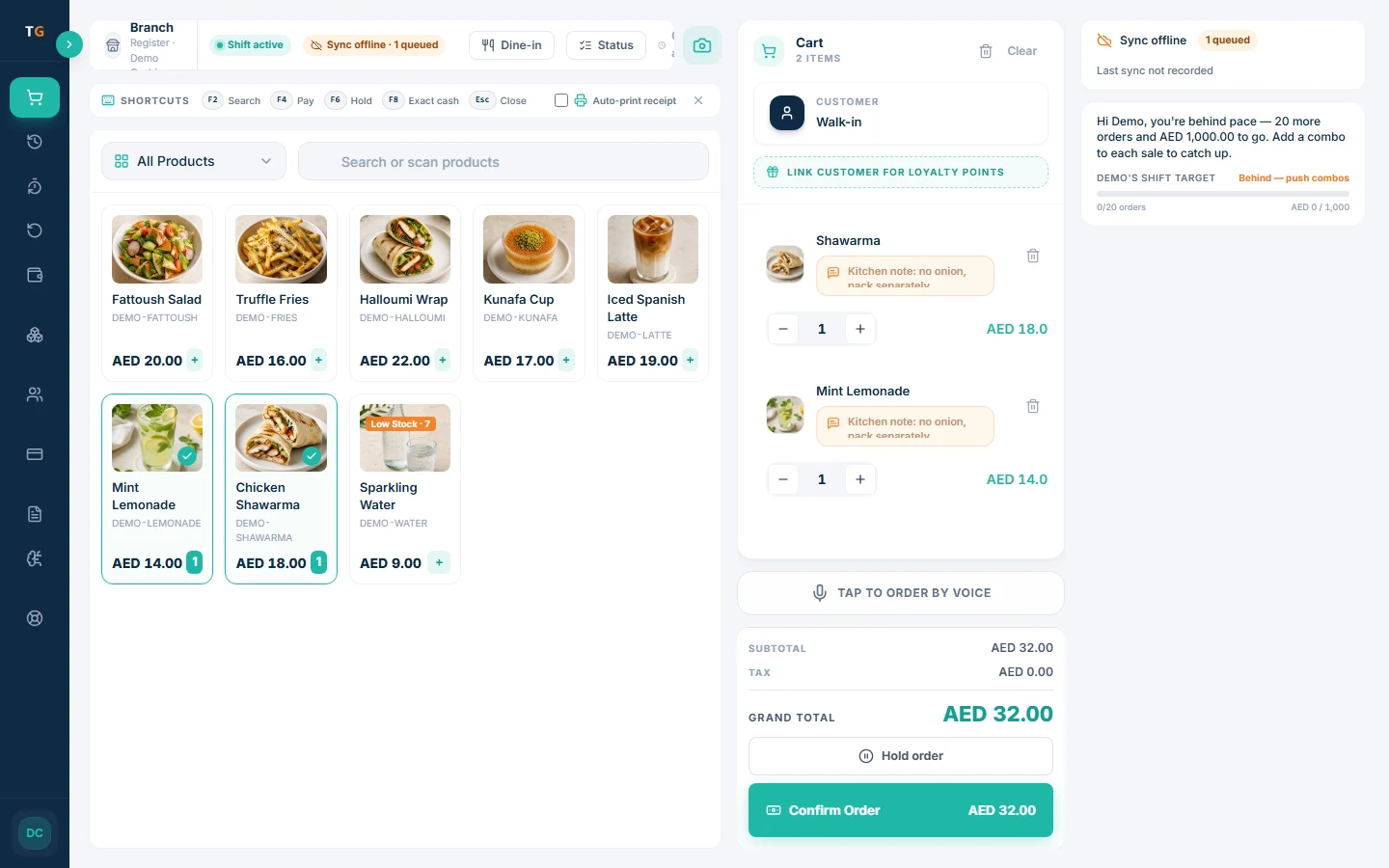
Keep the menu, cart, customer type, kitchen note, and order total together so the cashier can check the transaction before confirmation.
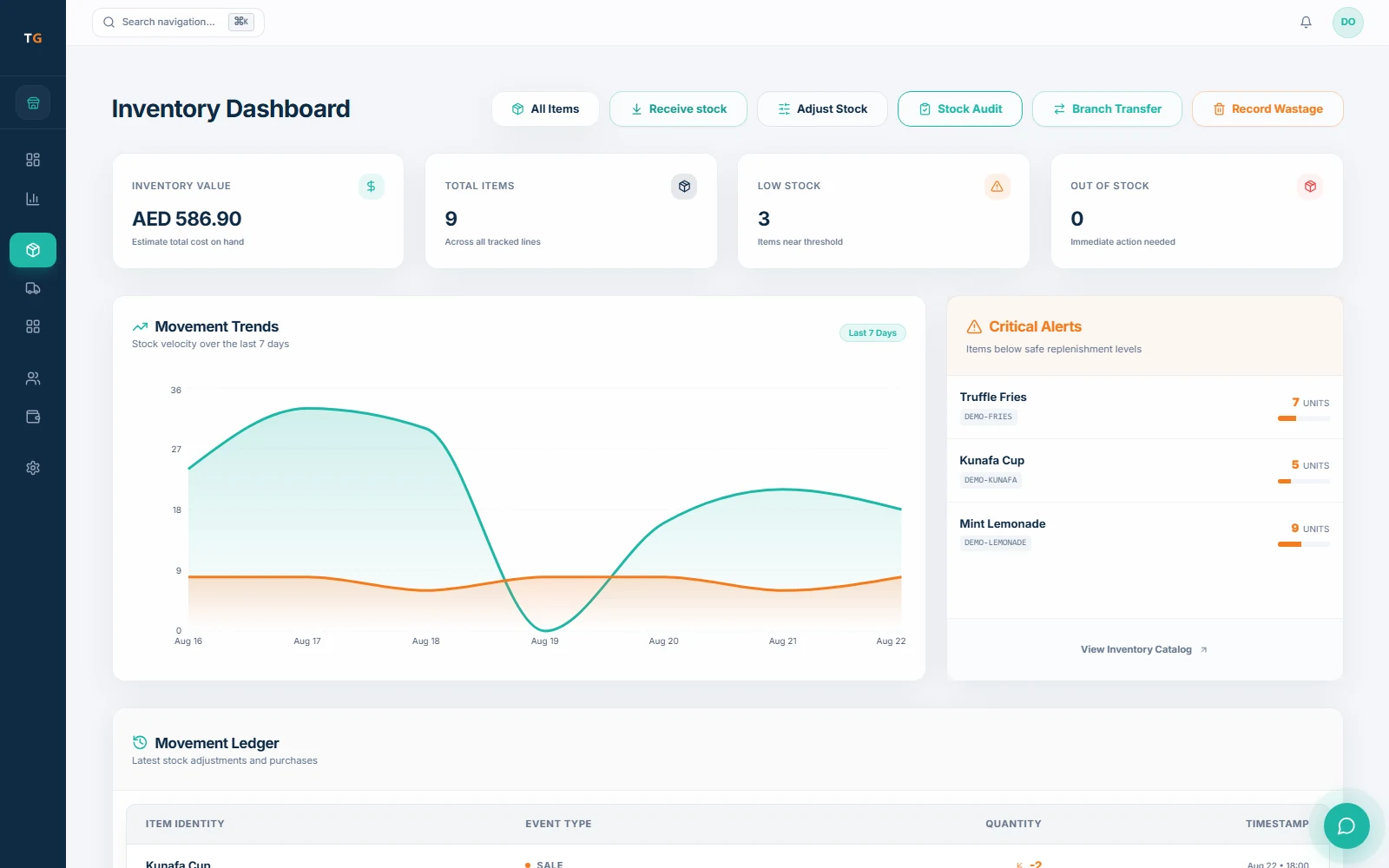
Review recorded stock value, low items, movement, receiving, counts, transfers, and waste from one inventory workspace. Cost signals depend on complete product, recipe, receiving, and count records.
UAE setup review
Use the demo and implementation review to check receipt details, language coverage, access, devices, and connectivity. Confirm final tax treatment with your own adviser.
Configure AED, product tax treatment, TRN, and receipt details, then review the final output for the supported workflow.
Confirm the POS, admin, receipt, and right-to-left surfaces each role expects to use.
Review cashier, manager, kitchen, and owner access for every active branch in scope.
Test the expected order, payment, printing, and sync scenario on the intended device before rollout.
A controlled changeover
Start with the current menu, devices, branches, stock opening position, and available exports. Agree the acceptance test and support plan before changing the live restaurant.
Plan the switchList menus, modifiers, service types, branches, users, customers, suppliers, and the records available from the current system.
Confirm import scope, hardware, kitchen routing, VAT and TRN details, opening stock, and supported offline expectations.
Run a table order, takeaway order, kitchen exception, payment, shift action, and owner review with the team.
Agree the sequence, fallback record, go-live support, and sign-off before the first transaction moves.
Current published pricing
Free planAED 0
Paid plans start atAED 99per active branch each month
One Business Account keeps active branches on one plan and billing relationship. Prices exclude VAT, if applicable.
Restaurant POS Dubai questions
TajerGo supports configured order types for restaurant service. Bring a table order and a takeaway order to the demo so the team can confirm the exact cashier, kitchen, payment, and receipt path you need.
Use your restaurant, not a generic sales script
Use the session to test service type, order detail, kitchen handoff, stock attention, receipt setup, and owner review against the way your restaurant already works.
Your tailored walkthrough
Built for a working restaurant team
Review how the floor, counter, kitchen, stock record, and owner view fit together for your Dubai restaurant.