On this page
- The three choices in plain language
- What a restaurant POS should control
- What makes a system ERP-like
- POS, operating system and ERP compared
- Seven signs you need more than a basic POS
- Five signs a broad ERP may be too much
- The UAE buying checklist
- How to compare total cost
- A practical decision tree
- Questions to ask in the demo
- Final takeaway
- Sources and further reading
- In the product
- Frequently asked questions
Quick answer: Choose a focused restaurant POS when the main requirement is reliable order taking, billing, kitchen routing and shift control. Choose a connected restaurant operating system when sales must update recipes, stock, purchasing and owner reporting. Consider a broader ERP when finance, payroll, HR, warehouses, procurement or group consolidation must share one governed system.
A restaurant POS and a restaurant ERP are not two names for the same system. A POS is built around the sale: taking an order, sending it to the kitchen, collecting payment and closing the shift. An ERP is built around shared business records across functions such as purchasing, inventory, finance, people and multiple locations.
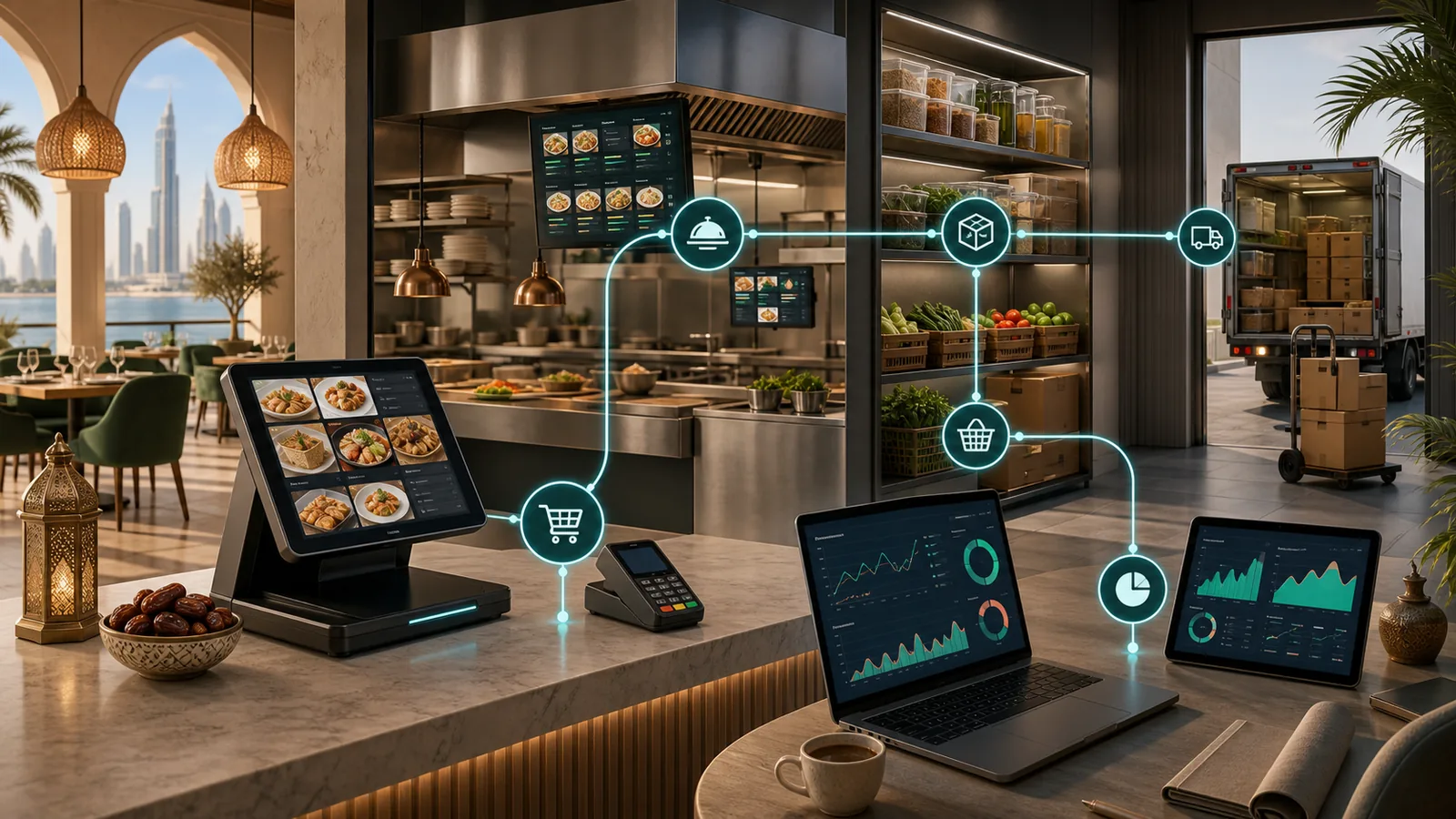
The confusing part is that modern restaurant platforms often sit between those categories. They may begin with POS and kitchen workflows, then connect recipes, stock, suppliers, purchasing and owner reporting. That can give an operator much of the control expected from an ERP without forcing each department into a broad corporate suite.
For a UAE restaurant, the useful question is not which label sounds bigger. It is: which system keeps the operational records you rely on connected, controlled and easy to verify?
The three choices in plain language
- Focused restaurant POS: Runs orders, billing, payments, kitchen routing, shifts and service reports.
- Restaurant operating system: Connects front-of-house activity to recipes, stock, purchasing, supplier workflows and owner reporting.
- Broad ERP: Governs records across finance, procurement, HR, payroll, warehouses, legal entities and group reporting.
A larger system is not automatically a better system. Extra modules create value only when the restaurant has the process ownership, data discipline and implementation capacity to use them.
What a restaurant POS should control
The POS is the operational front door. At minimum, it should handle menus and modifiers, dine-in or counter workflows, payments, tax configuration, receipts, staff permissions, shift closure and kitchen routing. A restaurant-specific POS may also include tables, split bills, delivery orders, loyalty and a kitchen display system.
For UAE operators, verify the exact tax-invoice configuration required for the business, including TRN and VAT presentation. The Federal Tax Authority publishes tax-invoice guidance. A software vendor should demonstrate the configured output for your operation rather than relying on a marketing label.
Use the restaurant POS software UAE guide to prepare workflow questions before a demonstration.
What makes a system ERP-like
A system becomes ERP-like when one controlled transaction updates several connected records. A received supplier order may increase stock, update ingredient cost and create a finance record. A menu sale may reduce recipe ingredients, update branch revenue and feed management reporting. A branch transfer may change stock ownership at both locations with an audit trail.
The important test is not the number of modules shown on a pricing page. It is whether the modules share governed data and whether staff can trace a number back to the transaction that created it.
POS, operating system and ERP compared
| Decision area | Focused POS | Restaurant operating system | Broad ERP |
|---|---|---|---|
| Primary job | Run orders, billing and shifts | Connect front and back office operations | Govern multiple business functions |
| Typical scope | POS, KDS, payments and service reports | POS, KDS, recipes, inventory, purchasing and operational reporting | Finance, procurement, HR, payroll, warehouses and consolidation |
| Best fit | A simpler single-site operation | A growing F&B operator needing connected workflows | A complex group with cross-department governance |
| Main risk | Disconnected spreadsheets and add-ons | Assuming each module is equally mature | Costly complexity and slow adoption |
Seven signs you need more than a basic POS
- Sales and stock are reconciled manually each day or week.
- Recipe costs change, but menu-margin reporting does not update with them.
- Purchase orders, receiving and supplier documents live in separate files.
- Branch managers use different item names, units or approval rules.
- Owners wait until month end to understand branch or item profitability.
- Stock transfers and wastage adjustments lack a clear approval trail.
- The finance team repeatedly re-enters operational data into another system.
These are usually signs that the business needs stronger connections between its restaurant inventory software, purchasing workflows and reporting layer.
Five signs a broad ERP may be too much
- The restaurant has one simple location and no dedicated back-office owner.
- The main pain is service speed, order accuracy or shift control.
- The implementation depends on extensive customization before the first sale.
- Staff cannot explain who will maintain recipes, suppliers, units and approvals.
- The proposed suite solves departments the business does not yet have.
In that situation, a focused restaurant platform with a clear expansion path may be easier to operate than a broad suite.
The UAE buying checklist
Ask each shortlisted vendor to demonstrate the same real workflow. Use your own menu, supplier document, branch structure and shift scenario where possible.
Dubai operators can use the restaurant POS Dubai workflow as a practical front-of-house, kitchen, stock, and owner-review test before expanding the evaluation into broader ERP scope.
- Tax setup: Can the system demonstrate the configured invoice and receipt output for your TRN and VAT treatment?
- Arabic and roles: Which cashier, kitchen, manager and reporting surfaces support the languages and permissions your team needs?
- Offline behavior: Which orders and payments continue during a connection loss, and how are conflicts handled after reconnection?
- Recipe and stock logic: Does a sale reduce the correct ingredient quantities and units?
- Purchasing controls: Are requisitions, purchase orders, receiving, exceptions and approvals traceable?
- Data ownership: Can you export products, recipes, suppliers, transactions and reports in usable formats?
- Integration boundary: Which capabilities are native, which are integrations and who supports failures between them?
The restaurant POS RFP template turns these checks into a comparable vendor scorecard.
How to compare total cost
Do not compare only the monthly subscription. Build a three-year view that includes terminals, kitchen screens, implementation, menu setup, training, integrations, support, data migration and any per-branch or per-user charges. Add the internal time required to maintain the system.
The cheapest subscription can become expensive if managers spend hours reconciling systems. A broad ERP can also become expensive if the business pays for unused modules or custom work. The useful comparison is total cost against the specific manual work, errors and reporting delays each option removes.
Use the UAE restaurant POS cost calculator as a planning aid, then replace assumptions with written vendor quotes.
A practical decision tree
1. Is the main problem at the till or in the kitchen?
Start with a restaurant POS and KDS evaluation. Do not let back-office scope distract from order speed, modifiers, tables, payments and shift control.
2. Is the main problem stock, purchasing or margin visibility?
Evaluate a connected restaurant operating system. Test recipe deductions, receiving, supplier-price changes, wastage, transfers and daily owner reporting as one flow.
3. Is the main problem cross-company finance or workforce governance?
Evaluate a broader ERP and define the integration boundary with restaurant operations. Confirm whether the ERP's restaurant front end is strong enough or whether a specialist POS must remain.
4. Are several problems present at once?
Map the source of truth for each record before selecting a vendor. Decide where products, recipes, suppliers, employees, branches, tax settings and financial accounts will be mastered. This prevents buying two systems that both claim ownership of the same data.
Questions to ask in the demo
- Show one sale moving from order entry to kitchen, payment, recipe stock and the owner report.
- Show one supplier delivery from purchase order through receiving and exception review.
- Show how a manager investigates a stock variance without editing history.
- Show which features continue offline and exactly what happens at reconnection.
- Export the data we would need if we changed systems.
- Put each required module, integration, device, support term and recurring charge in writing.
Final takeaway
A POS runs the sale. An ERP governs a wider business. A restaurant operating system connects the operational middle. Choose the smallest system that keeps your critical records connected today and can support the next stage of growth without a disruptive rebuild.
Book a TajerGo restaurant operations demo and test the workflow using your own menu, branch and supplier scenarios.
Sources and further reading
Frequently asked questions
Is a restaurant ERP the same as a POS?
No. A POS centers on orders, billing, payments and service operations. An ERP governs shared records across broader functions. Some restaurant operating systems connect POS with inventory, purchasing and reporting, placing them between a basic POS and a broad ERP.
Does each multi-branch restaurant need an ERP?
No. Multi-branch operators need consistent masters, permissions, stock controls and consolidated reporting, but those needs may be met by a connected restaurant platform. A broad ERP becomes more relevant as finance, procurement, warehouses, workforce or legal-entity complexity grows.
Can a POS connect to accounting software instead?
Yes. That can be a sensible architecture when responsibilities and reconciliation are clear. Confirm which system owns tax settings, sales totals, refunds, supplier liabilities and chart-of-account mappings, and test what happens when an integration fails.
What should a UAE restaurant verify before buying?
Verify configured tax-invoice outputs, TRN and VAT presentation, required language coverage, offline behavior, permissions, data exports, support terms and the exact module scope in writing.
Should a new restaurant buy an ERP from day one?
Usually only when the operating model is already complex or part of a larger group. A new independent outlet should prioritize reliable service workflows and choose a platform that can expand without forcing unnecessary implementation complexity.
About this guide. Maintained by the TajerGo Editorial Team. Last updated 29 Jul 2026. Worked examples use illustrative numbers, not customer results.