On this page
- What Does Restaurant Procurement Software Do?
- Where Restaurant Purchasing Usually Goes Wrong
- Step 1: Decide What the Kitchen Needs
- Step 2: Create a Clear Purchase Order
- Step 3: Approve Orders Before Committing Spend
- Step 4: Record What Actually Arrived
- Step 5: Match the Order, Receipt and Invoice
- Step 6: Review and Post the Supplier Bill
- Compare Suppliers on More Than the Headline Price
- Restaurant Procurement Control Across Multiple Branches
- What to Test Before Choosing Restaurant Purchasing Software
- Where AI Can Help Procurement Teams
- Check One Purchase From Request to Approval
- In the product
- Frequently Asked Questions
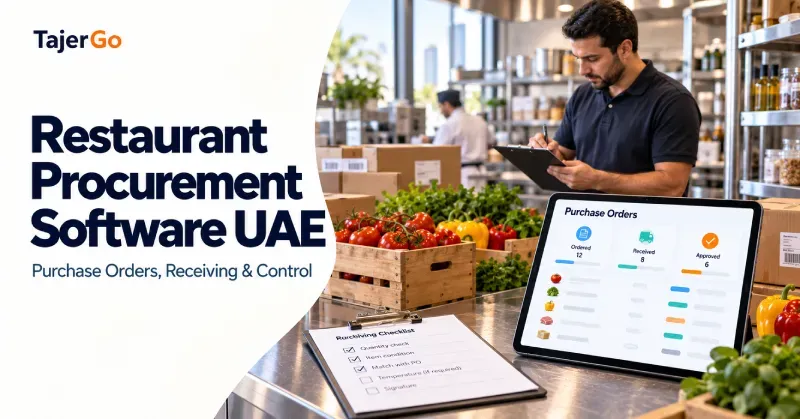
A supplier delivers fewer ingredients than ordered, but the invoice still charges for the full quantity. Another delivery includes a larger pack at a different price. Meanwhile, two staff members order the same product because neither knows an order is already open. These are the everyday problems behind a search for restaurant procurement software UAE.
Procurement software helps connect the buying decision with the delivery, supplier bill and inventory record. It gives the team a way to check what was requested, what arrived and what should be approved for payment.
For restaurants, cafes and central kitchens, the value comes from making those records agree. A digital purchase order is useful, but the complete workflow matters more.
What Does Restaurant Procurement Software Do?
Restaurant procurement software manages the process of buying ingredients, beverages, packaging and other operating supplies.
Depending on the system and configuration, it can support:
- Supplier and product records.
- Purchase requests and orders.
- Approval permissions.
- Expected delivery dates.
- Partial receiving and shortages.
- Supplier invoice review.
- Price comparisons.
- Links between purchasing and inventory.
- Outstanding supplier balances.
The software should preserve the distinction between an order, a receipt and an invoice.
An order records what the restaurant agreed to buy. A receipt records what staff physically accepted. An invoice records what the supplier charged.
Treating those documents as interchangeable makes discrepancies harder to find.
Where Restaurant Purchasing Usually Goes Wrong
Many kitchens begin with phone calls, WhatsApp messages and spreadsheets. These can communicate an order, but they become difficult to reconcile when several people, suppliers or branches are involved.
Duplicate orders
A chef requests an ingredient while a manager independently orders the same item. Without visibility into open orders, both requests may become deliveries.
Unchecked quantities
Staff accept the delivery note without counting or weighing the goods. A shortage then becomes an inventory problem rather than a documented supplier discrepancy.
Price changes without review
The invoice shows a new unit price, but nobody compares it with the approved order. The restaurant discovers the change only after costs have increased.
Unclear branch ownership
A supplier bill arrives at head office without a clear record of which branch ordered or received the products.
Incomplete follow-up
Short deliveries, rejected goods and promised credits remain in messages. The next person reviewing the account cannot easily establish what was resolved.
A procurement workflow gives each issue a record, an owner and a status.
Step 1: Decide What the Kitchen Needs
Purchasing should start with usable stock and expected demand, not simply with the previous order.
Check:
- Current usable quantities.
- Expected consumption before the next delivery.
- Confirmed incoming orders.
- Products already reserved for production.
- Supplier lead times and pack sizes.
- Storage capacity and shelf life.
A simplified calculation for a defined planning period is:
$\text{Order quantity} = \text{Expected usage} + \text{Desired ending stock} - \text{Usable stock} - \text{Confirmed incoming stock}$
Suppose a cafe expects to use 30 litres of milk before its next delivery. It wants six litres remaining, has 12 usable litres and has another eight litres confirmed to arrive within that period.
$30 + 6 - 12 - 8 = 16\text{ litres to order}$
The manager still needs to check timing. An incoming delivery scheduled after the milk is needed cannot cover an earlier shortage.
Review open orders before placing another
An accurate stock balance alone is insufficient. The restaurant also needs to know what has already been ordered and when it is due.
TajerGo’s restaurant inventory workflow provides the stock context for receiving, recipe-linked consumption, transfers and low-stock review.
Step 2: Create a Clear Purchase Order
A purchase order, often shortened to PO, documents the restaurant’s intended purchase.
A useful PO should identify:
- Supplier.
- Ordering branch or location.
- Product and specification.
- Quantity and purchase unit.
- Agreed unit price.
- Expected delivery date.
- Relevant delivery instructions.
- Approval and order status.
“Ten boxes of chicken” leaves important questions unanswered. What weight does each box contain? Which cut and grade are required? Is the price per box or per kilogram?
The order should be specific enough for receiving staff to check the delivery without reconstructing the agreement from messages.
Standardise supplier units
Supplier pack sizes can differ even when descriptions look similar.
If one supplier sells a case containing 12 bottles and another sells a case containing 24, comparing the case price alone gives a misleading result.
Record the pack conversion and compare equivalent quantities.
Keep revisions visible
An approved order may need a quantity or delivery-date change. The team should be able to see the revised agreement and communicate it clearly to the supplier.
An internal edit does not necessarily mean the supplier received or accepted the change.
Step 3: Approve Orders Before Committing Spend
Restaurant purchase order management needs clear responsibility.
Define who can request products, prepare orders, approve spending and handle exceptions. Where the software supports it, permissions should reflect those responsibilities.
Approval questions might include:
- Is the ingredient already on an open order?
- Does the quantity fit expected demand?
- Is the supplier approved for this product?
- Is the price consistent with the current agreement?
- Is there enough suitable storage space?
- Is the requested delivery date practical?
Give emergency purchases a defined process
Restaurants sometimes need an urgent local purchase during service. A rigid process that staff cannot follow may encourage undocumented buying.
Set a practical exception route. Capture the buyer, reason, products, receipt and receiving information promptly, then review the purchase according to the restaurant’s policy.
The objective is an explainable record, including when normal ordering was impossible.
Step 4: Record What Actually Arrived
Receiving is a physical check. Software can present the order, but staff must confirm the delivery.
Check the product, quantity, pack size and condition. Capture relevant batch or expiry information where required by the operation.
A goods received note, or GRN, records the accepted delivery against the purchase order.
Keep partial deliveries open
If the restaurant orders 20 kg of rice and receives 15 kg, record the 15 kg accepted. Establish whether the remaining five kilograms will arrive later or whether the order should be closed with a shortage.
Marking the entire order received hides the outstanding quantity.
Document substitutions and rejected goods
A substitute product may have a different price, yield or recipe use. It should not silently replace the ordered ingredient.
Record what was offered, what was accepted and who approved the change. Rejected goods should remain separate from usable stock.
Receiving and invoice processing must agree
Confirm which transaction increases inventory. If a receipt already added the delivery, processing the invoice must not add the same quantity again.
Test this explicitly during software selection and implementation.
Step 5: Match the Order, Receipt and Invoice
Three-way matching compares:
- The purchase order.
- The goods received note.
- The supplier invoice.
The review checks whether the restaurant was billed for the products, quantities and prices supported by its records.
Differences do not always indicate wrongdoing. They may result from a partial delivery, agreed price revision, substitution or entry error. They still need an explanation.
A worked example in AED
Consider a hypothetical chicken delivery. The figures below exclude tax so the quantity and price differences are clear.
| Record | Quantity | Unit price | Line value |
|---|---|---|---|
| Approved purchase order | 20 kg | AED 28/kg | AED 560 |
| Accepted delivery | 18 kg | AED 28/kg agreed basis | AED 504 |
| Supplier invoice | 20 kg | AED 30/kg | AED 600 |
The invoice is AED 96 above the value of the accepted quantity at the original agreed price.
That difference consists of:
- Quantity difference: $2\text{ kg} \times \text{AED } 28 = \text{AED } 56$.
- Price difference on accepted goods: $18\text{ kg} \times \text{AED } 2 = \text{AED } 36$.
- Additional price effect on undelivered quantity: $2\text{ kg} \times \text{AED } 2 = \text{AED } 4$.
The team should confirm whether a new price was agreed and whether the missing quantity is still due. It can then request the appropriate correction or supporting document.
The software’s role is to make the mismatch visible. Staff decide how to resolve it.
Step 6: Review and Post the Supplier Bill
Invoice capture can reduce repetitive typing, but extracted data still needs checking.
Review:
- Supplier identity and invoice reference.
- Item matches.
- Quantities and units.
- Unit prices and discounts.
- Delivery and order references.
- Relevant tax fields.
- Possible duplicate documents.
For UAE operations, currency, supplier-document details and tax information should remain clearly identifiable. Configure tax treatment with the finance team rather than assuming every invoice follows the same pattern.
TajerGo’s supplier invoice review workflow explains how supplier invoice review supports stock updates, including checking prepared lines and confirming whether receiving has already added the delivery.
Keep unresolved exceptions visible
A mismatched invoice should have an owner and follow-up status.
Otherwise, moving it into a digital review queue simply replaces an unresolved paper pile with an unresolved screen.
Compare Suppliers on More Than the Headline Price
Supplier management software for restaurants should help teams compare like-for-like purchases.
Start with the equivalent unit cost:
$\text{Comparable unit cost} = \frac{\text{Pack price}}{\text{Quantity in the pack}}$
If Supplier A charges AED 120 for six litres of oil:
$\text{AED } 120 \div 6 = \text{AED } 20\text{ per litre}$
If Supplier B charges AED 105 for five litres:
$\text{AED } 105 \div 5 = \text{AED } 21\text{ per litre}$
Supplier A has the higher pack price but the lower cost per litre.
That does not settle the buying decision. Consider product suitability, accepted quality, delivery reliability, minimum quantities and other applicable charges.
Consider usable yield
A cheaper ingredient can cost more per usable portion if it produces substantially less usable output.
For products where preparation loss matters, compare purchase cost alongside tested yield and recipe requirements.
Review price movement with its source
A useful price history identifies the product, unit, date and supporting order or invoice.
A changed price is a reason to review the purchase. It is not, by itself, evidence of an overcharge.
Restaurant Procurement Control Across Multiple Branches
A group needs central visibility without losing the detail of each location.
Every order should identify the requesting branch. Receipts should identify where products were accepted. Supplier bills should remain connected with those records.
Distinguish purchases from internal transfers
If a central kitchen buys ingredients and sends prepared products to an outlet, the outlet movement is an internal transfer within that operation.
Recording it as another supplier purchase would distort purchasing totals.
Compare equivalent products and units
Branch comparisons are only useful when item specifications and measurement units agree.
Different pack sizes, product grades or preparation yields can explain price differences that initially appear unusual.
Preserve local delivery information
Head office may negotiate prices while branch staff handle receiving. The system should allow both teams to work from the same transaction history.
What to Test Before Choosing Restaurant Purchasing Software
Use a real order and a redacted supplier invoice during the demonstration.
| Test | What to check |
|---|---|
| Create a branch order | Supplier, units, prices and delivery date are clear |
| Revise an order | Changes remain understandable |
| Receive part of a delivery | Accepted and outstanding quantities stay separate |
| Record a substitution | The replacement and approval are visible |
| Match an invoice | Quantity and price differences can be reviewed |
| Process an existing receipt | Stock is not increased twice |
| Correct an entry | The change has an explanation |
| Compare supplier prices | Pack conversions and source dates are available |
Also confirm plan limits, staff permissions, exports and the setup required for your suppliers and branches.
Where AI Can Help Procurement Teams
AI can assist with document preparation, item matching and draft orders. Its usefulness depends on the quality of the underlying stock, supplier and order records.
An inaccurate inventory balance can lead to an unsuitable reorder suggestion. An unclear invoice image can produce incorrect extracted quantities.
TajerGo’s procurement agent workflow reviews branch stock, reorder levels, open orders and supplier prices to prepare order drafts. An authorised person approves the order, and kitchen staff confirm the physical delivery.
Evaluate the approval path and exception handling alongside the time saved.
Check One Purchase From Request to Approval
Select a recurring supplier order and follow it through the complete workflow. Confirm who requested it, who approved it, what arrived, what was billed and when stock changed.
Use any unresolved differences as your demonstration checklist. That gives TajerGo’s team a concrete purchasing example to work through and helps you assess whether the system fits your restaurant’s daily controls.
Read next: Recipe Costing UAE Restaurant Guide · Restaurant Inventory Software UAE
Frequently Asked Questions
What is restaurant procurement software?
It helps restaurants manage supplier purchasing through orders, approvals, receiving and invoice review. Its scope varies by system and plan.
What is a purchase order?
A purchase order records the products, quantities, prices and delivery terms the restaurant intends to agree with a supplier.
What is a goods received note?
It records what staff physically accepted against an order. It should distinguish accepted quantities from shortages and rejected goods.
What is three-way matching?
It compares the purchase order, receiving record and supplier invoice to identify differences before approval.
Can an invoice replace receiving?
No. The invoice records a charge. Receiving establishes what physically arrived and was accepted.
Does procurement software automatically prevent over-ordering?
It can provide stock and open-order information or draft suggestions. Staff still need to review demand, shelf life, timing and storage capacity.
Can software manage purchasing for several branches?
A suitable system can keep branch orders and receipts connected with central supplier records. Test the location controls and reporting before choosing it.
About this guide. Maintained by the TajerGo Editorial Team. Last updated 9 Oct 2026. Worked examples use illustrative numbers, not customer results.