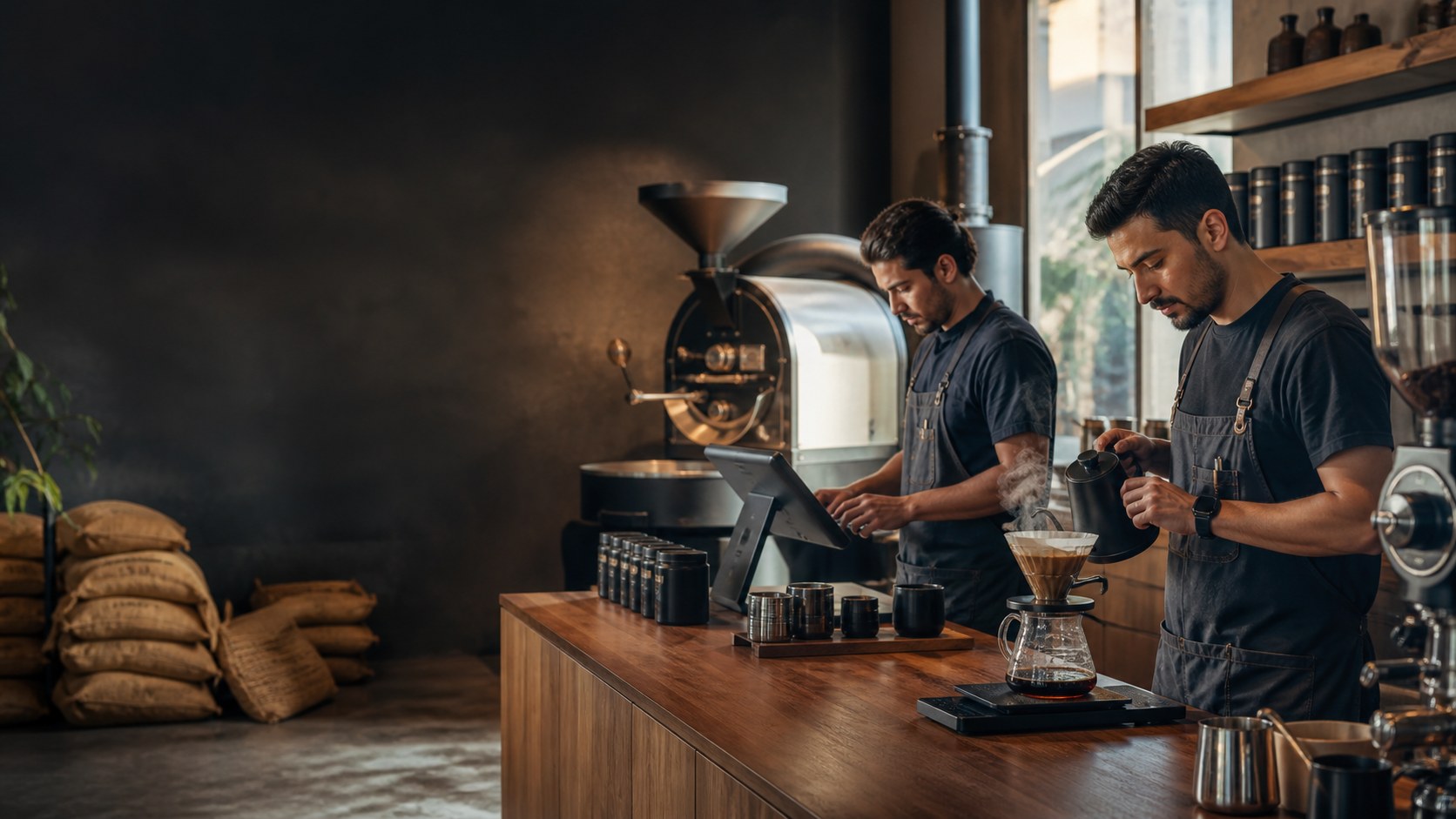
Build drink choices once
Configure the sizes, milks, shots, syrups, and preparation choices that apply to each drink. Confirm required-choice and price behavior with your real menu during setup.
See menu setupSpecialty coffee POS · UAE
Set up custom drinks, packaged beans sold as configured items, and counter products without losing the thread between the order, ingredient stock, and the owner review. Bring your menu and one rush-hour scenario so the demo can confirm the workflow you need.
Free plan, AED 0. No card needed.
01 · Counter flow
A specialty coffee order can change by size, milk, temperature, syrup, and extra shots. Set the choices around the drink, review the basket, and keep the handoff readable for the team preparing it.
Configure the sizes, milks, shots, syrups, and preparation choices that apply to each drink. Confirm required-choice and price behavior with your real menu during setup.
See menu setupKeep packaged beans, brewing gear, and other configured sale items in the product catalogue beside the drink menu. Confirm item, unit, and stock rules for the exact range you sell.
Associate a customer with the sale and review the loyalty workflow available to the selected plan. Confirm earning, eligibility, and redemption rules before rollout.
Review CRM and loyaltyCheck the active shift, cart, held-order, preparation, and connectivity controls your team needs when several customised drinks arrive together.
Build a real customised drink, add a retail bean item, confirm the basket, and follow both records into the stock and owner views.
Real TajerGo product screens
These screens use sanitized demonstration data. Use the walkthrough to confirm how your drink menu, bean catalogue, recipes, waste process, and owner checks would be configured.
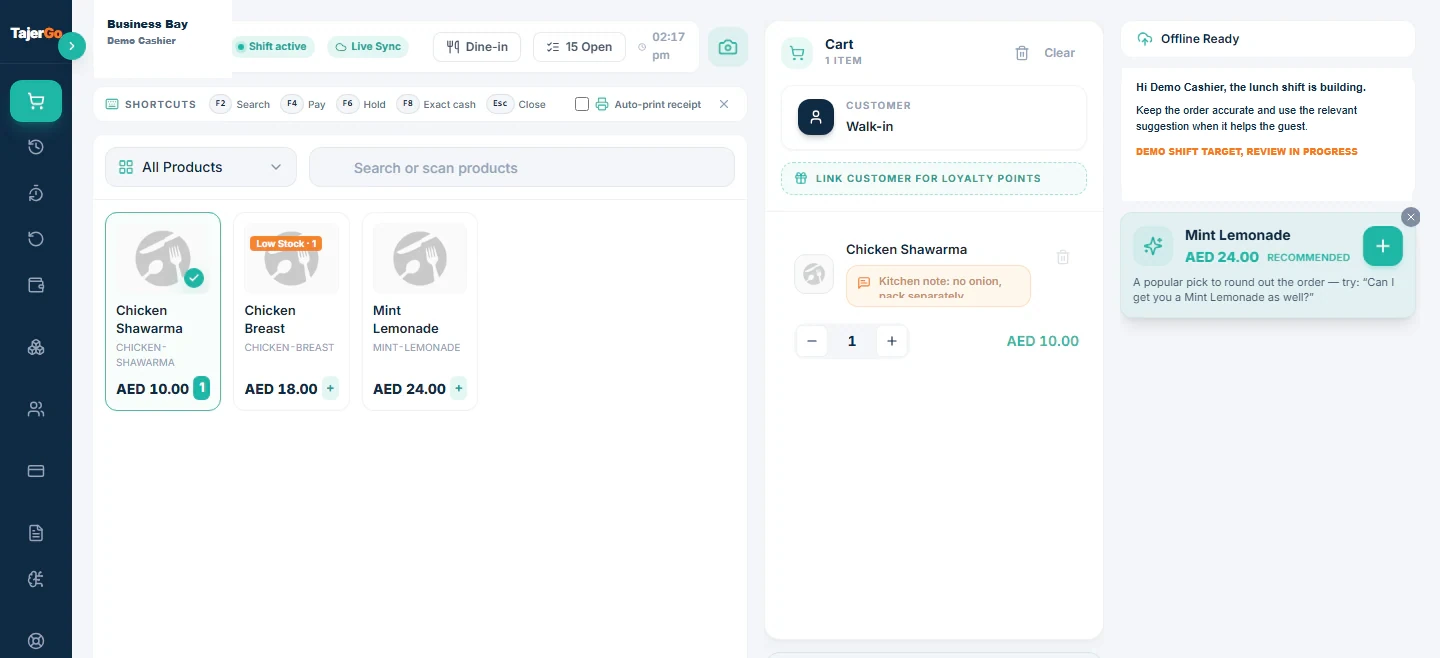
The selling workspace keeps the active shift, product grid, customer context, cart, sync state, and cashier-controlled prompts in one view. Test your own drink sequence before agreeing the counter setup.
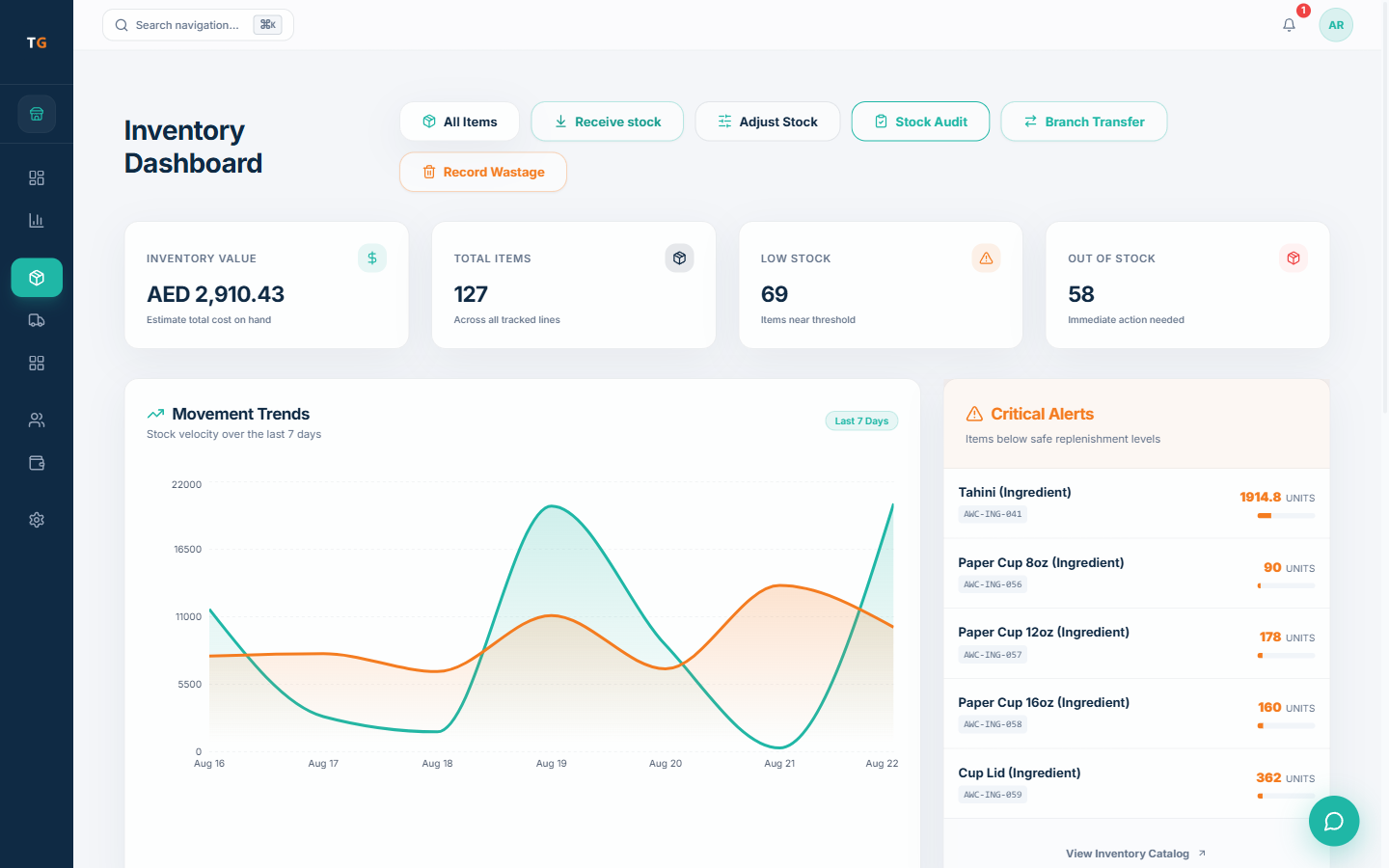
The inventory dashboard brings receiving, adjustments, stock audits, transfers, waste recording, and low-stock attention into one operational view. Recipe-linked movement depends on the menu and unit setup agreed for your shop.
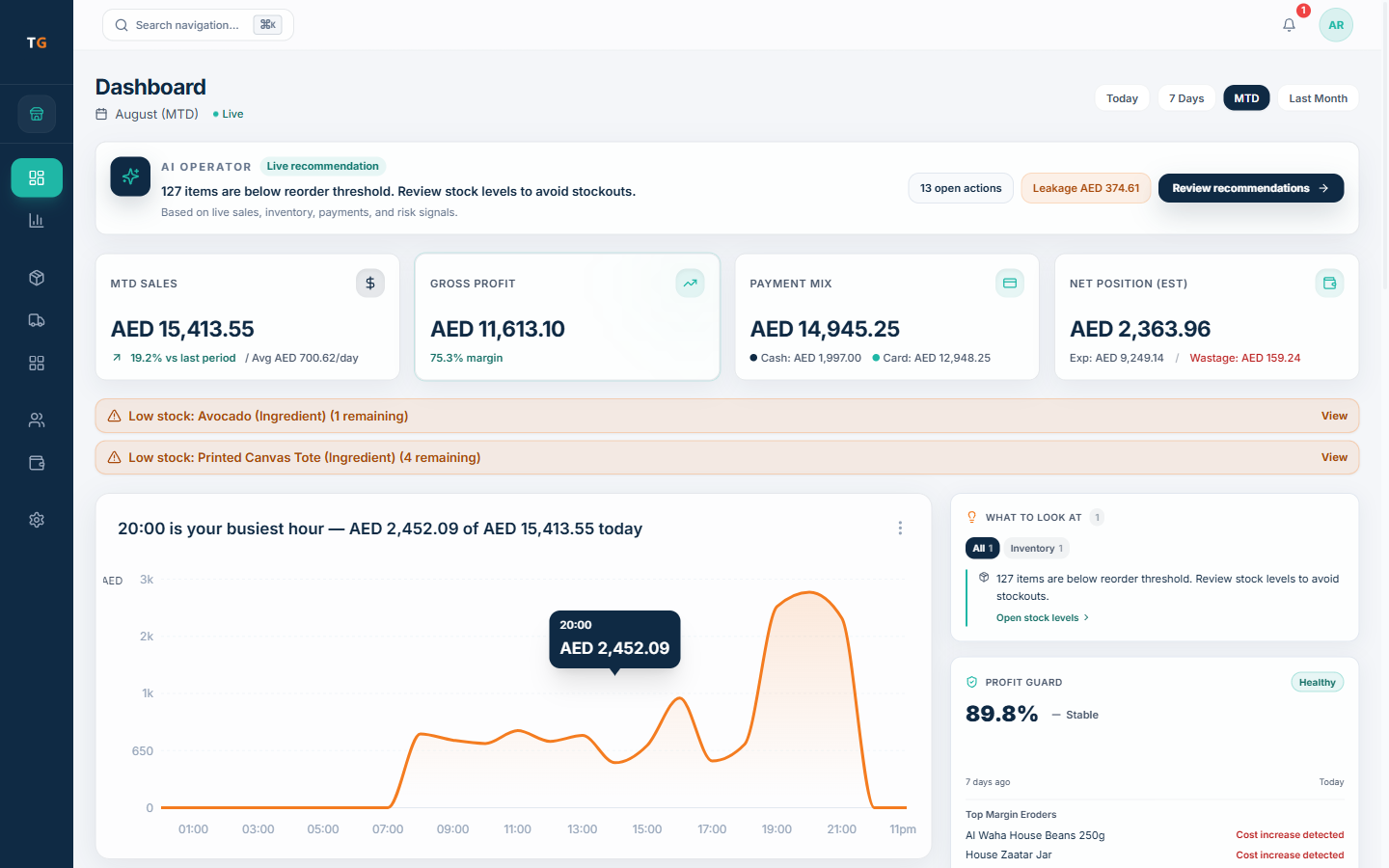
The owner dashboard brings recorded sales, payment mix, expenses, waste, busy-hour context, and stock attention into one review. Open the underlying record when a number needs investigation.
UAE setup checks
Confirm the language, receipt, access, device, payment, printing, and connectivity behavior your coffee shop expects. Review the final tax treatment with your own adviser.
Configure AED pricing, tax treatment, TRN, and the supported receipt layout, then review the final output.
Check the cashier, owner, receipt, and right-to-left surfaces each role will use.
Agree what baristas, shift leads, managers, and owners can see and do for each active branch.
Test the expected device, payment, print, queue, and sync scenario before setting a go-live date.
Switching plan
Start with the records you already rely on. Agree what can be imported, what needs rebuilding, and how the team will rehearse before the current counter is changed.
Plan your switchList drinks, modifiers, retail beans, recipes, customers, loyalty rules, branches, and the export available from the current system.
Confirm import scope, opening stock, units, devices, tax details, receipt setup, and supported connectivity behavior.
Run the busiest drink sequence with the barista, cashier, shift lead, and owner roles before cutover.
Agree the final count, cutover sequence, go-live support, and handover before changing the live counter.
Canonical TajerGo pricing
FreeAED 0
Paid plans start atAED 99per active branch each month
One Business Account keeps active branches on one plan and billing relationship. Prices exclude VAT, if applicable.
Coffee shop POS UAE questions
The Free plan is AED 0. Paid plans start at AED 99 per active branch each month. Starter annual billing is AED 990 per active branch. Growth, Scale, and Enterprise options are listed on the pricing page. Prices exclude VAT, if applicable.
Walk through your coffee shop
Use the walkthrough to test modifier choices, a retail bean sale, recipe and waste records, receipt setup, supported connectivity behavior, and the owner review.
Your 30-minute walkthrough
Built for the details behind every cup
Review the exact path from custom drink and retail bean sale to stock attention and owner follow-up.